

In the competitive software development landscape, 'good enough' is a direct path to obsolescence. Quality assurance has fundamentally shifted from a final-gate bug hunt into a comprehensive discipline woven into every stage of the development lifecycle. Implementing effective quality assurance best practices isn't merely about preventing defects; it's about embedding a culture of excellence that boosts user satisfaction, accelerates innovation, and protects brand reputation. A proactive approach to quality ensures that products are not just functional but are also reliable, secure, and performant from the first line of code to the final release.
This article moves beyond theory to provide a detailed roundup of 10 essential practices that high-performing engineering teams rely on to build exceptional software. We will explore pragmatic strategies for everything from Test-Driven Development and CI/CD pipelines to robust defect management and user acceptance testing. Each section offers actionable insights and practical implementation steps.
Furthermore, we will demonstrate how a tool like GrabShot.io can significantly enhance these practices. By streamlining visual bug reporting, creating clear technical documentation with annotated screenshots, and improving stakeholder communication, teams can transform quality from an isolated function into a shared, transparent responsibility. This guide is designed for developers, QA engineers, and managers who are ready to elevate their quality standards and deliver products that consistently exceed user expectations. Prepare to learn how to integrate these vital practices into your workflow for tangible, lasting results.
1. Test-Driven Development (TDD)
Test-Driven Development (TDD) flips the traditional development process on its head. Instead of writing code and then testing it, TDD requires developers to write automated tests before writing the functional code. This methodology, popularized by Kent Beck, follows a simple, powerful cycle: Red, Green, Refactor.
First, a developer writes a test for a new feature or improvement (Red). Since the code doesn't exist yet, this test will naturally fail. Next, the developer writes the minimum amount of code necessary to make the test pass (Green). Finally, with the assurance of a passing test, they clean up and optimize the new code without changing its external behavior (Refactor).
This approach is fundamental to modern quality assurance best practices because it builds quality directly into the software from the very beginning.
Why TDD is a Game-Changer
Adopting TDD leads to a more robust and maintainable codebase. By forcing developers to define the desired outcome before writing a single line of implementation, it ensures every piece of code serves a specific, testable purpose. This reduces the final bug count, simplifies debugging, and creates a comprehensive suite of regression tests that acts as living documentation.
Tech giants like Google and Amazon rely on TDD principles to maintain high-quality services at scale, and the popular Django web framework was built using this methodology. The result is software that is not only well-tested but also well-designed.
Key Insight: TDD is more than a testing technique; it's a design practice. It forces you to think about how your code will be used, which leads to cleaner interfaces and more modular, decoupled components.
How to Implement TDD Effectively
To integrate TDD into your workflow, follow these actionable tips:
- Start Small: Begin with a simple unit test for a single, small piece of functionality. Don't try to test a complex scenario from the start.
- Focus on One Test: Adhere strictly to the "Red-Green-Refactor" loop for one test at a time. This keeps your focus narrow and your progress steady.
- Write Descriptive Tests: Name your tests clearly, describing the behavior they are verifying (e.g.,
test_user_cannot_login_with_invalid_password). - Refactor Continuously: Treat your test code with the same care as your production code. Refactor it alongside your main code to keep it clean and maintainable.
By embedding testing into the development rhythm, TDD ensures that quality assurance is a proactive, continuous effort rather than a reactive, end-of-cycle task.
2. Continuous Integration and Continuous Deployment (CI/CD)
Continuous Integration and Continuous Deployment (CI/CD) is a set of practices that automates the software delivery pipeline, forming the backbone of modern DevOps and quality assurance best practices. CI involves developers frequently merging their code changes into a central repository, after which automated builds and tests are run. CD extends this by automatically deploying all code changes that pass the testing stage to a production environment.
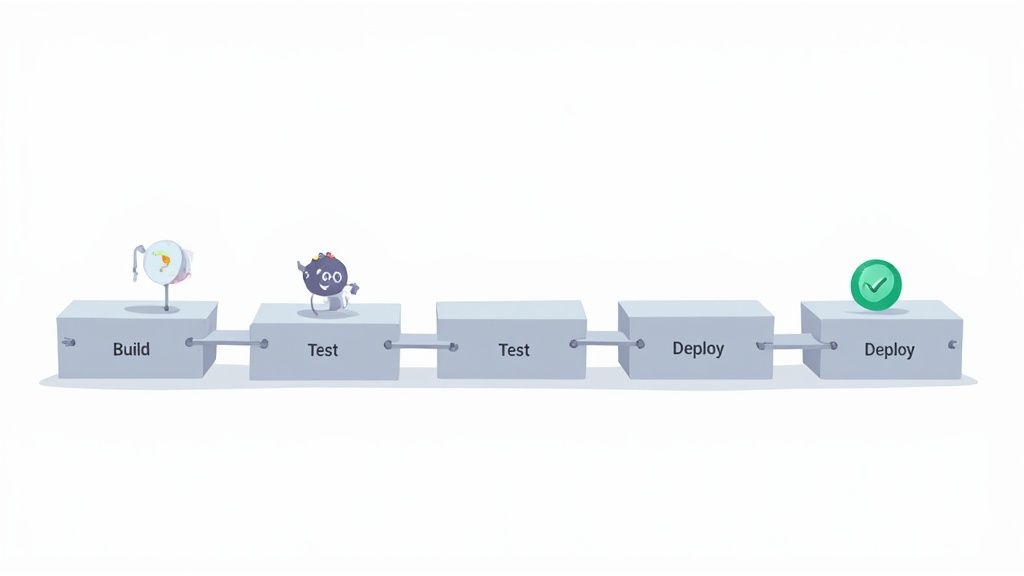
This automated pipeline, popularized by thought leaders like Jez Humble and Martin Fowler, drastically reduces manual effort and the risk of human error. It creates a rapid, reliable, and repeatable process for getting features and fixes to users, embedding quality checks at every single step of the software lifecycle.
Why CI/CD is a Game-Changer
Adopting a CI/CD pipeline transforms quality assurance from a final gatekeeping stage into a continuous, integrated process. By automating builds, testing, and deployments, teams can catch bugs earlier, accelerate feedback loops, and release software with greater confidence and speed. This ensures that every commit is a potential release candidate, maintaining a high standard of quality at all times.
Tech leaders like Netflix leverage robust CI/CD pipelines to deploy thousands of times per day, while platforms like GitHub Actions and GitLab CI/CD have made this powerful automation accessible to everyone. The result is a more resilient, predictable, and efficient development process.
Key Insight: CI/CD isn't just about automation; it's about creating a culture of shared responsibility for quality. When every change is automatically tested and deployed, everyone from developers to QA engineers is aligned on maintaining a stable and functional product.
How to Implement CI/CD Effectively
To integrate CI/CD into your workflow, follow these actionable tips:
- Start with CI: First, focus on automating the build and testing process for every code commit before tackling automated deployment.
- Automate High-Value Tests First: Prioritize automating your most critical regression and integration tests to get the biggest quality assurance benefits early on.
- Keep Pipelines Fast: Aim for your entire pipeline, from commit to deployment, to run in under 10 minutes to ensure rapid feedback for developers.
- Use Feature Flags: Deploy new features behind feature flags to de-risk releases. This allows you to turn features on or off in production without a full redeployment, making rollbacks safer and easier.
By implementing a CI/CD pipeline, teams make quality a non-negotiable part of the development process, ensuring consistent and reliable software delivery.
3. Automated Testing
Automated Testing is a cornerstone of modern quality assurance best practices, utilizing software tools to execute pre-scripted tests on an application before it's released to production. Instead of a QA engineer manually checking every function, automated scripts can run unit, integration, and end-to-end tests repeatedly, identifying regressions and bugs with speed and precision.
This process significantly accelerates the feedback loop for developers. Automation frameworks like Selenium, Pytest, or JUnit execute thousands of test cases in minutes, a task that would take manual testers days to complete. The goal is not to replace manual testing but to handle repetitive, time-consuming tasks, freeing up human testers to focus on more complex, exploratory testing.

Why Automation is Essential for Speed and Scale
Adopting automated testing is crucial for any team looking to implement continuous integration and continuous delivery (CI/CD). By integrating automated tests into the build pipeline, teams can ensure that every new code commit is automatically verified, catching bugs moments after they are introduced. This prevents flawed code from ever reaching production.
The Google Test Engineering team and the Selenium WebDriver community have championed this practice, demonstrating how automation allows for high-velocity development without sacrificing quality. It provides a safety net that enables developers to refactor and innovate confidently, knowing that the automated test suite will guard against unintended side effects.
Key Insight: Automation isn't about eliminating manual testing; it's about amplifying its impact. It handles the predictable, repetitive checks, allowing your QA team to focus their creativity on exploratory testing and complex user scenarios that scripts can't cover.
How to Implement Automation Effectively
To successfully integrate automated testing into your workflow, consider these actionable steps:
- Prioritize Critical Paths: Start by automating tests for your most critical user journeys and business-critical functionalities. Don't try to automate everything at once.
- Aim for a Healthy Coverage Mix: Strive for a balanced test pyramid, focusing heavily on unit tests, followed by integration tests, and a smaller number of end-to-end UI tests.
- Keep Tests Independent: Design each test to be self-contained and isolated. A test should not depend on the outcome of another, ensuring reliable and consistent results.
- Integrate with Your CI/CD Pipeline: Configure your automated tests to run automatically every time a developer commits code. This provides immediate feedback and maintains a constant state of quality control.
4. Code Review and Peer Programming
Code Review and Peer Programming are collaborative practices that embed quality control directly into the development workflow. Code review involves a systematic examination of source code changes by one or more peers before they are merged into the main codebase. Peer programming, a core practice of Extreme Programming (XP), involves two developers working together at one computer.
These methods are not about policing code; they are about leveraging collective expertise to catch defects, enforce standards, and share knowledge. One developer writes the code, and another provides a fresh perspective to identify potential logic errors, security vulnerabilities, or deviations from established patterns that the original author might have overlooked.
This collaborative approach is a cornerstone of modern quality assurance best practices, transforming quality from an individual responsibility into a shared team commitment.
Why Code Review and Peer Programming are a Game-Changer
Adopting these practices significantly improves code quality and team cohesion. By having a second set of eyes on every line of code, teams can catch bugs earlier, reduce technical debt, and ensure the codebase remains maintainable and scalable. It also acts as a powerful mechanism for knowledge transfer, helping to upskill junior developers and distribute domain knowledge across the team.
Companies like Google and Microsoft have deeply integrated code reviews into their engineering culture, using tools like Gerrit and GitHub Pull Requests to manage the process. The result is a higher standard of code and a more resilient, knowledgeable engineering team.
Key Insight: Code review is the cheapest and most effective way to find defects. It's not just a bug-finding tool; it's a mentorship, communication, and knowledge-sharing platform that builds a stronger engineering culture.
How to Implement Code Review and Peer Programming Effectively
To integrate these collaborative practices into your workflow, follow these actionable tips:
- Keep It Small and Fast: Review smaller chunks of code (under 400 lines) to maintain focus and effectiveness. Aim to complete reviews within 24 hours to avoid blocking development progress.
- Automate the Small Stuff: Use automated linters and style checkers (like ESLint or RuboCop) to handle formatting and style issues, allowing human reviewers to focus on logic, architecture, and potential bugs.
- Establish Clear Guidelines: Create a checklist or style guide for reviews. This ensures consistency and helps reviewers provide objective, constructive feedback focused on improving the code.
- Foster a Positive Culture: Frame feedback constructively, not critically. The goal is to improve the code, not to blame the author. Encourage questions and discussions to make it a learning experience.
5. Performance and Load Testing
Performance and Load Testing ensures an application doesn't just work, but works well under pressure. This practice involves evaluating system responsiveness, stability, and scalability under various workloads. It encompasses load testing to simulate normal and peak user traffic, stress testing to push the system beyond its limits to find the breaking point, and endurance testing to check for issues like memory leaks under sustained load.
This type of testing is non-negotiable for any application expecting real-world traffic. It moves quality assurance from "does it function?" to "can it handle success?". By simulating user activity, teams can identify performance bottlenecks, optimize resource utilization, and guarantee a smooth user experience, even during high-traffic events like a product launch or a holiday sale.
Proactively addressing performance is a cornerstone of modern quality assurance best practices, preventing costly outages and protecting brand reputation.
Why Performance Testing is a Game-Changer
Adopting a rigorous performance testing strategy prevents system failures that can lead to lost revenue and user trust. By identifying how the application behaves under different loads, you can make informed decisions about infrastructure, code optimization, and capacity planning. This proactive approach ensures the system is resilient, scalable, and ready for growth.
Companies like Amazon and Netflix are famous for their dedication to performance engineering. Netflix even developed "Chaos Monkey," a tool that randomly disables production instances to test how the remaining systems respond to failure. This demonstrates a commitment to building a robust service that can withstand unexpected issues, a direct result of continuous performance validation.
Key Insight: Performance testing isn't a final pre-launch check; it's a continuous process. Integrating it early and often reveals how code changes impact system behavior, preventing small issues from escalating into major production failures.
How to Implement Performance Testing Effectively
To integrate performance and load testing into your QA cycle, follow these actionable tips:
- Establish Baselines: Before you begin, measure your application's performance under normal conditions to create a baseline. All future test results should be compared against this benchmark.
- Simulate Realistic Scenarios: Use tools like Apache JMeter to create test scripts that mimic real user journeys and behavior patterns, not just random, repetitive API calls.
- Monitor Everything: During tests, monitor key system resources like CPU usage, memory consumption, database query times, and network I/O. This helps pinpoint the exact source of bottlenecks.
- Test Early and Often: Don't wait until the end of the development cycle. Run performance tests regularly, especially after major feature integrations, to catch regressions early.
By making performance testing a core part of your development process, you ensure your application is not just functional, but also fast, reliable, and ready to scale.
6. Requirements Traceability Matrix (RTM)
A Requirements Traceability Matrix (RTM) is a document that maps user requirements to test cases, defects, and other project artifacts. It acts as a comprehensive map, ensuring that every specified requirement is covered by at least one test case and that every test case can be traced back to a specific requirement. This creates a clear, auditable trail from the initial request to the final validation.
The RTM provides a single source of truth for tracking requirement coverage throughout the development lifecycle. It systematically links requirements, test scenarios, test results, and defects. By maintaining this matrix, teams can instantly assess the impact of a change, identify testing gaps, and prove to stakeholders that the final product meets all agreed-upon criteria.
This method is a cornerstone of disciplined quality assurance best practices, especially in regulated industries, as it provides undeniable proof of compliance and thorough testing.
Why RTM is a Game-Changer
Adopting an RTM brings unparalleled transparency and accountability to the development process. It guarantees that no requirement is overlooked and provides a clear framework for verifying project completion. This is crucial for complex systems where missing a single requirement can lead to significant compliance failures, costly rework, or critical functional gaps.
Industries with strict regulatory oversight, such as medical device manufacturing (FDA compliance) and aviation software (DO-178C standards), mandate the use of RTMs. For example, a medical device firm must prove that every safety-critical requirement has been rigorously tested and validated. The RTM serves as the primary evidence for this verification.
Key Insight: The RTM transforms requirements from a simple checklist into a living, traceable entity. It's not just about what you built, but proving why you built it and how you validated it.
How to Implement RTM Effectively
To integrate an RTM into your QA workflow, follow these actionable tips:
- Start Early: Create the RTM during the requirements gathering phase. Reviewing it at this stage helps identify ambiguous or untestable requirements before development begins.
- Use Automation: Manually updating a spreadsheet-based RTM for a large project is inefficient. Use dedicated RTM tools (like Jira with plugins) to automate the linking and tracking process.
- Be Granular: Link requirements at the most specific level possible. A high-level requirement should be broken down and traced to individual test cases and even specific code changes.
- Maintain Continuously: The RTM is not a "set it and forget it" document. Update it immediately whenever a requirement changes, a new test is added, or a defect is logged.
- Enhance with Documentation: Pair your RTM with clear visual evidence. For complex bug reports linked in your matrix, using one of the best tools for technical documentation can provide the visual context needed to understand the issue quickly.
7. Defect Management and Tracking
Defect Management and Tracking is a systematic process for identifying, documenting, prioritizing, and resolving bugs throughout the software development lifecycle. Instead of treating bugs as one-off issues, this practice establishes a structured workflow to ensure that every defect is captured, assigned, fixed, and verified. The goal is to create a transparent and accountable system for managing software imperfections.
The process begins when a defect is identified. It's then logged in a tracking system with comprehensive details. Stakeholders prioritize the defect based on its severity and business impact. A developer is assigned to fix it, and once resolved, QA teams verify the fix. This structured cycle prevents issues from falling through the cracks and provides valuable data on product quality.
This disciplined approach is a cornerstone of effective quality assurance best practices because it transforms bug fixing from a chaotic reaction into an orderly, measurable process.
Why Defect Management is a Game-Changer
Adopting a formal defect management process leads to faster resolution times and higher-quality releases. It creates a single source of truth for all known issues, eliminating ambiguity and improving communication between development, QA, and product teams. By tracking defects, teams can identify recurring problems and perform root cause analysis to prevent similar bugs in the future.
Industry leaders like Atlassian (with Jira) and Microsoft (with Azure DevOps) have built entire platforms around this principle. Their success demonstrates that systematically managing defects is essential for delivering reliable software at scale, ensuring a better end-user experience.
Key Insight: Effective defect management isn't just about fixing bugs; it's about learning from them. Every defect is a data point that can reveal weaknesses in your development process, testing strategy, or even your product requirements.
How to Implement Defect Management Effectively
To integrate a robust defect management process, follow these actionable tips:
- Create Clear, Reproducible Reports: Every bug report should include a clear title, steps to reproduce, expected vs. actual results, and visual evidence. Tools like GrabShot.io are invaluable here, as they allow testers to capture screenshots or screen recordings with annotated steps, making reproduction effortless for developers.
- Prioritize Based on Impact: Use a clear matrix to prioritize bugs based on both severity (how much it breaks the system) and business impact (how many users it affects). Not all critical bugs are urgent, and not all minor bugs can be ignored.
- Perform Root Cause Analysis (RCA): For critical or recurring defects, conduct an RCA to understand the underlying cause. This helps you fix the process, not just the single bug.
- Track Key Metrics: Monitor metrics like defect escape rate (bugs found in production), average time to resolution, and defect reopen rate. These KPIs provide objective insights into the health of your QA process.
By implementing a structured system, you ensure that every reported issue contributes to a stronger, more reliable product. This proactive approach also enhances communication between development and support, a key aspect detailed further in these customer support best practices.
8. Risk-Based Testing
Risk-Based Testing (RBT) is a strategic approach that prioritizes testing efforts based on the potential impact and likelihood of failure. Instead of testing everything equally, RBT directs QA resources toward the software components and functionalities that pose the greatest risk to the business. This methodology, championed by industry leaders like James Lyndsay and the ISTQB, ensures that the most critical areas receive the most rigorous attention.
The process begins by identifying and assessing risks, such as financial loss, data corruption, or reputational damage. Each risk is then analyzed for its probability and potential impact. Testing activities are designed and prioritized to mitigate the highest-ranked risks first, ensuring that limited resources are allocated in the most effective way possible.
This pragmatic approach is a cornerstone of modern quality assurance best practices because it aligns testing strategy directly with business objectives, maximizing the value of the QA process.
Why RBT is a Game-Changer
Adopting RBT leads to more efficient and effective testing cycles. By focusing on high-risk areas, teams can find and fix the most critical defects earlier in the development lifecycle. This reduces the overall cost of quality, minimizes the chances of a catastrophic failure in production, and provides stakeholders with a clear, risk-informed view of software readiness.
This strategy is vital for mission-critical systems. For example, a fintech company would prioritize its payment processing gateway (high financial risk), while a healthcare app would focus on patient data security (high safety and compliance risk). This targeted approach ensures that the most important features work flawlessly when they matter most.
Key Insight: Risk-Based Testing transforms QA from a "check-everything" activity into a "check-what-matters-most" strategy. It answers the crucial question: "Given our limited time, what should we test to reduce the biggest risks?"
How to Implement RBT Effectively
To integrate Risk-Based Testing into your workflow, follow these actionable tips:
- Involve Stakeholders: Collaborate with business analysts, product owners, and developers to identify and rank risks. Their diverse perspectives are crucial for a comprehensive risk assessment.
- Quantify Risks: Use a simple matrix to score risks based on their probability (how likely is it to fail?) and impact (how bad will it be if it fails?). This creates a clear hierarchy.
- Create a Risk Heat Map: Visualize the identified risks on a heat map to easily communicate priorities to the entire team. High-risk items in the "red zone" get tested first.
- Revisit Risks Regularly: Risks are not static. Re-evaluate them throughout the project lifecycle, especially after major changes to the code or requirements.
9. Quality Metrics and Dashboards
Quality metrics and dashboards transform quality assurance from a subjective art into a data-driven science. Instead of relying on gut feelings, this practice involves tracking quantifiable measures of software quality, enabling teams to monitor progress, spot negative trends, and make informed decisions. This approach provides objective visibility into the health of a project.
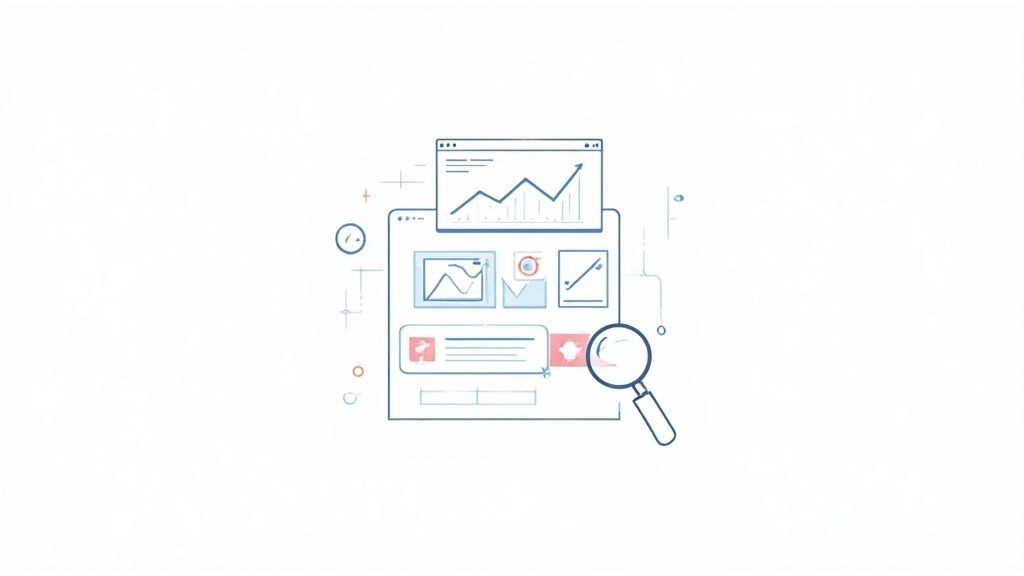
Key metrics often include defect density, code coverage, test execution rates, and customer-reported issues. By visualizing this data in a central dashboard, the entire team gains a shared understanding of quality goals and current performance, making it a cornerstone of modern quality assurance best practices.
Why Quality Metrics are a Game-Changer
Adopting a metric-driven approach provides a clear, objective view of your entire software development lifecycle. It helps you answer critical questions like, "Is our code quality improving?" or "Are we ready to release?" This transparency empowers teams to identify bottlenecks and areas for improvement before they escalate into major problems, fostering a culture of continuous improvement.
Engineering teams at Google and LinkedIn famously use sophisticated dashboards to monitor service health and development velocity. Tools like SonarQube for code quality and New Relic for performance metrics have become industry standards, allowing organizations to maintain high standards at scale. This data-driven strategy ensures that quality is a measurable and manageable part of the process.
Key Insight: Metrics are not just for reporting; they are for driving action. The most effective metrics are those that trigger a specific response or decision, turning abstract data into tangible improvements in quality.
How to Implement Metrics and Dashboards Effectively
To integrate data-driven QA into your workflow, follow these actionable tips:
- Align with Business Goals: Choose metrics that directly reflect business priorities, such as customer satisfaction or time-to-market. Avoid "vanity metrics" that look good but don't offer real insight.
- Combine Multiple Data Points: A single metric tells an incomplete story. Combine metrics like defect density, code coverage, and test pass rates for a holistic view of quality.
- Establish Baselines: You can't improve what you don't measure. Establish a baseline for each key metric, then set realistic, incremental targets for improvement.
- Make Them Visible: Use a centralized dashboard (e.g., Splunk, Grafana) to display your key metrics where the entire team can see them daily. This keeps quality top-of-mind for everyone.
By tracking and visualizing key quality indicators, teams can proactively manage and improve software quality, ensuring that every release is better than the last.
10. User Acceptance Testing (UAT) and Behavioral Testing
User Acceptance Testing (UAT) is the final validation phase before a product goes live. It ensures the software meets real-world business requirements by having actual end-users test it in a production-like environment. Paired with this is Behavior-Driven Development (BDD), a technique that defines system behavior using natural language, bridging the communication gap between business stakeholders and developers.
BDD, pioneered by Dan North, uses a simple "Given-When-Then" syntax (often with frameworks like Cucumber) to describe user scenarios. These scenarios form the basis for automated acceptance tests, ensuring the software behaves exactly as specified. UAT then serves as the ultimate confirmation that these behaviors deliver tangible value to the end-user.
This dual approach is a cornerstone of modern quality assurance best practices because it aligns technical implementation with business objectives from start to finish.
Why UAT and BDD are a Game-Changer
Adopting UAT and BDD ensures that what is built is what was actually needed. By defining acceptance criteria in plain language, BDD eliminates ambiguities early in the development cycle. UAT provides the final, critical feedback loop, confirming the product is fit for purpose from the user's perspective. This dramatically reduces the risk of delivering a feature that, while technically flawless, fails to solve the user's problem.
Financial institutions, for instance, rely heavily on rigorous UAT to ensure new banking software complies with regulations and meets customer expectations. Similarly, the popular testing framework Cucumber, built on BDD principles, helps teams at companies like a BBC and PayPal build software that is both technically sound and user-centric.
Key Insight: UAT and BDD shift the focus from "did we build it right?" to "did we build the right thing?". It's a fundamental move from technical verification to business validation.
How to Implement UAT and BDD Effectively
To integrate these practices into your quality assurance process, follow these actionable tips:
- Involve Real End-Users: Engage actual customers or business users for UAT, not internal proxies. Their perspective is invaluable.
- Write Acceptance Criteria First: Use BDD principles to write clear, Gherkin-style acceptance criteria before development begins. This sets clear expectations for everyone.
- Use Realistic Scenarios: Base your UAT scripts on real-world use cases and data to accurately simulate the user experience.
- Document Everything Clearly: During UAT, testers must report bugs and feedback with precision. Using a screenshot annotation tool like GrabShot.io helps users create visually detailed bug reports, ensuring developers understand the context and can resolve issues faster.
10 QA Best Practices Comparison
| Practice | 🔄 Implementation Complexity | ⚡ Resource Requirements | ⭐📊 Expected Outcomes | 💡 Ideal Use Cases | Key Advantages |
|---|---|---|---|---|---|
| Test-Driven Development (TDD) | 🔄 High — discipline and test-first mindset | ⚡ Moderate upfront time; test frameworks | ⭐ High quality, fewer bugs; 📊 better design & maintainability | 💡 Core logic, long-lived codebases, libraries | Living tests as documentation; safer refactoring |
| Continuous Integration & Continuous Deployment (CI/CD) | 🔄 High — pipeline orchestration and integrations | ⚡ CI/CD servers, infra, robust tests | ⭐ Reliable, frequent releases; 📊 faster time-to-market & earlier integration feedback | 💡 Frequent deploys, microservices, cloud apps | Automates releases; reduces manual errors |
| Automated Testing | 🔄 Moderate–High — setup and maintenance effort | ⚡ Investment in tools, test authors, execution resources | ⭐ Consistent defect detection; 📊 higher coverage and faster feedback | 💡 Regression suites, unit/API/E2E testing, CI pipelines | Scales test execution; reduces human error |
| Code Review & Pair Programming | 🔄 Low–Moderate — process and cultural change | ⚡ Peer time and lightweight review tools | ⭐ Improved code quality and knowledge sharing; 📊 fewer pre-merge defects | 💡 Onboarding, complex features, cross-team knowledge transfer | Early bug detection; spreads domain knowledge |
| Performance & Load Testing | 🔄 Moderate–High — realistic scenario and env setup | ⚡ Specialized tools, realistic infra, expertise | ⭐ Validates scalability and stability; 📊 identifies bottlenecks | 💡 High-traffic services, SLAs, capacity planning | Prevents production failures; optimizes infra costs |
| Requirements Traceability Matrix (RTM) | 🔄 Moderate — ongoing documentation and linkage | ⚡ Tooling or manual effort; cross-team discipline | ⭐ Ensures requirement coverage; 📊 clear traceability and auditability | 💡 Regulated industries, compliance-heavy projects | Aids compliance, change impact analysis |
| Defect Management & Tracking | 🔄 Low–Moderate — workflow and triage process | ⚡ Bug tracker, triage effort, integrations | ⭐ Better issue visibility and accountability; 📊 trend and resolution metrics | 💡 Any active development, release cycles | Centralizes defects; enables data-driven fixes |
| Risk-Based Testing | 🔄 Moderate — requires risk assessment discipline | ⚡ Focused test effort; stakeholder input | ⭐ Efficient quality with prioritized coverage; 📊 reduced testing scope focused on impact | 💡 Limited resources, critical features, safety-critical domains | Optimizes testing effort; focuses on business impact |
| Quality Metrics & Dashboards | 🔄 Moderate — data collection and visualization work | ⚡ Instrumentation, dashboard tooling, data governance | ⭐ Objective visibility into quality; 📊 actionable KPIs and trends | 💡 Stakeholder reporting, continuous improvement programs | Enables proactive decisions; tracks improvements |
| UAT & Behavioral Testing (BDD) | 🔄 Moderate — user coordination and acceptance scenarios | ⚡ End-user involvement, BDD tools and scenarios | ⭐ Validates business requirements; 📊 higher user satisfaction and fewer reworks | 💡 Releases with major UX/behavior changes, acceptance gating | Ensures product meets business needs; improves team alignment |
Make Quality Your Competitive Advantage
Navigating the landscape of modern software development requires more than just innovative features; it demands an unwavering commitment to quality. The ten quality assurance best practices we've explored are not isolated tactics but interconnected pillars supporting a robust, resilient, and user-centric development lifecycle. From the proactive "shift-left" approach of Test-Driven Development and rigorous code reviews to the holistic, business-aligned strategies of Risk-Based Testing and User Acceptance Testing, each practice serves a critical function. They work in unison to transform quality assurance from a final, often-rushed checkpoint into a continuous, ingrained cultural value.
The common thread weaving through these principles is a proactive, data-driven mindset. Instead of reactively fixing bugs that have already impacted users, these strategies empower your team to prevent them. Continuous Integration and Continuous Deployment (CI/CD) pipelines automate the delivery process, while automated testing frameworks execute thousands of checks with tireless precision. This frees up your human talent to focus on more complex, exploratory testing and strategic quality initiatives. By implementing quality metrics and building transparent dashboards, you replace guesswork with actionable insights, enabling informed decisions that steer the product toward excellence.
Key Takeaways for Building a Culture of Quality
The journey to exceptional quality is iterative. It’s about building momentum, not achieving perfection overnight. Here are the core takeaways to guide your implementation:
- Embrace Proactivity Over Reactivity: The most effective QA strategies, such as TDD and risk-based analysis, focus on preventing defects before they are ever written into the codebase. This fundamental shift saves immense time, resources, and reputational damage down the line.
- Quality is a Shared Responsibility: The days of siloed QA teams are over. Practices like peer programming and transparent defect management foster an environment where developers, testers, product managers, and even customer support teams are all active participants in the quality process.
- Clarity in Communication is Non-Negotiable: A detailed bug report is worth a thousand lines of ambiguous feedback. The ability to clearly document issues, track them through a Defect Management system, and trace them back to initial requirements via an RTM is crucial for efficient resolution.
Your Actionable Next Steps
Mastering these quality assurance best practices is a marathon, not a sprint. Start by identifying the area with the most significant potential for immediate impact. Is your team struggling with inconsistent bug reports? Focus on standardizing your defect management process. Are release cycles plagued by last-minute regressions? Begin integrating a foundational automated testing suite into your CI/CD pipeline.
The goal is to create a virtuous cycle of improvement. Each practice you successfully adopt makes the next one easier to implement. By consistently applying these strategies, you’re not just improving a product; you are building a competitive advantage. You're creating a reputation for reliability, earning user trust, and ultimately, delivering a superior experience that sets your brand apart in a crowded marketplace. This commitment is the true hallmark of a forward-thinking, quality-driven organization.
Ready to supercharge your team's communication and documentation? See how GrabShot.io can help you implement these quality assurance best practices by creating crystal-clear, annotated bug reports, visual guides, and feedback in seconds. Elevate your quality workflow today by visiting GrabShot.io.