

In the fast-paced world of social media, standing out requires more than just a consistent posting schedule. High-quality, engaging visuals are the backbone of a successful strategy. Yet, many creators and marketers find themselves trapped in a cycle of juggling complex design software, struggling with inconsistent branding, and spending hours on simple edits. This inefficiency directly impacts your ability to produce the volume and quality of content needed to capture audience attention. The core problem isn't a lack of ideas; it's the friction in the creative workflow.
This guide cuts through the noise. We've compiled a definitive list of the 12 best content creation tools for social media in 2025, moving beyond simple schedulers to focus on the platforms that genuinely accelerate your creative process. Whether you're a marketing manager aiming for brand consistency, a content creator needing to produce videos faster, or a small business owner handling your own social presence, the right toolset is critical. Our goal is to help you find the specific software and resources that solve your biggest production bottlenecks.
We will provide a comprehensive breakdown of each tool, analyzing its unique strengths and potential drawbacks. You'll find detailed insights into:
- AI-powered graphic design for quick, professional visuals.
- Streamlined video editing for platforms like TikTok, Reels, and YouTube Shorts.
- Royalty-free asset libraries for high-quality stock media.
- Essential hardware and gear marketplaces for upgrading your setup.
Each recommendation includes screenshots, direct links, and an honest assessment of who the tool is best for. This isn't a generic list; it's a practical resource designed to help you build a more efficient and powerful content creation engine. Let's find the tools that will elevate your content and reclaim your time.
1. GrabShot.io
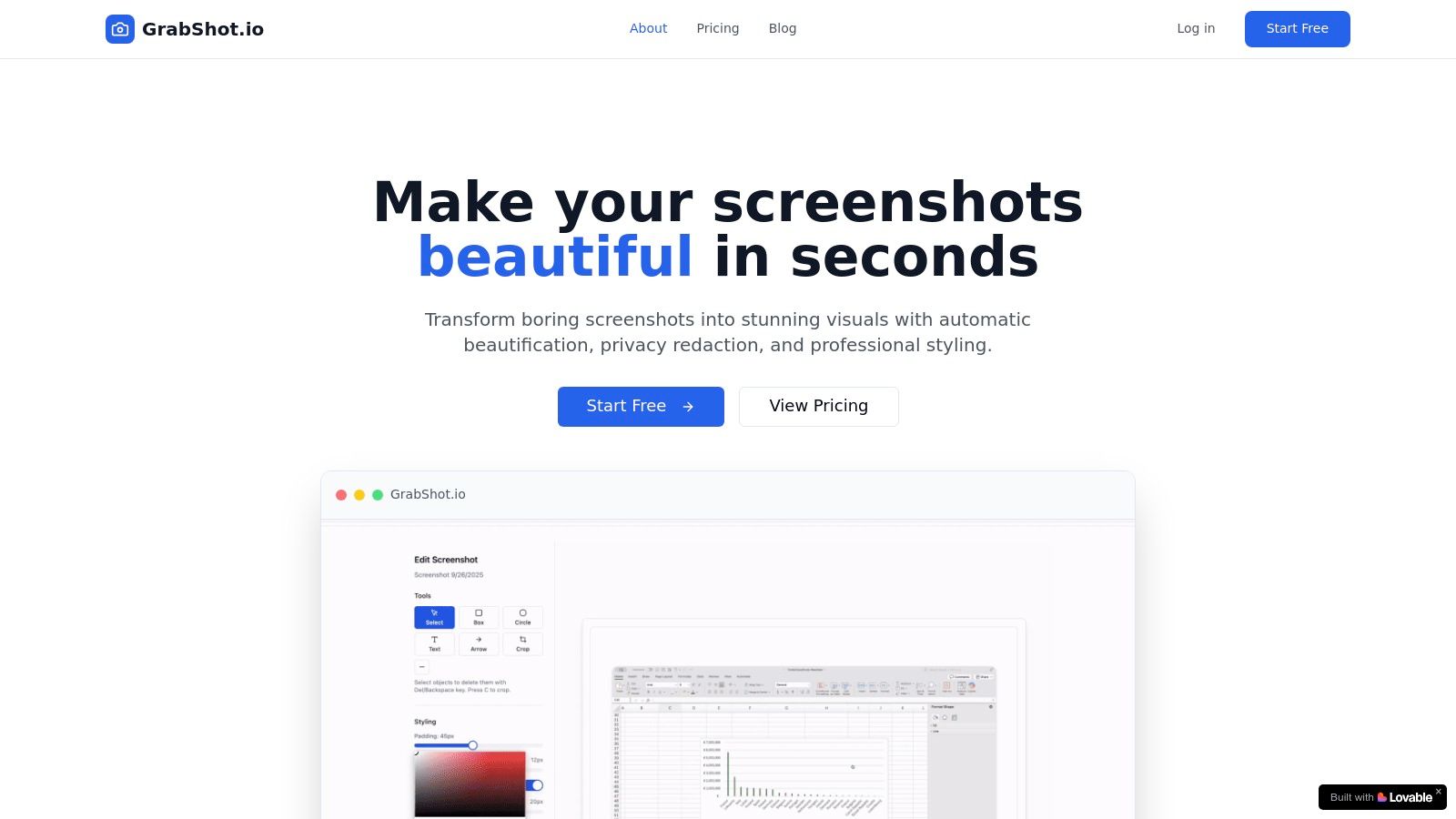
GrabShot.io is a specialized, browser-based tool engineered to solve a common but often overlooked challenge in social media content creation: turning mundane screenshots into visually compelling, shareable assets. It excels by focusing on a streamlined, three-step workflow that transforms a raw capture into a polished graphic in seconds, making it an indispensable utility for professionals who need speed without sacrificing quality. This focus on efficiency and presentation makes it a standout choice among general-purpose content creation tools for social media.
Where a full design suite like Canva or Photoshop offers endless creative possibilities, GrabShot.io prioritizes a specific, high-value outcome. Its core function is to add professional flair, such as consistent padding, rounded corners, custom backgrounds, and subtle drop shadows, with minimal effort. This laser focus allows users to create clean, branded, and aesthetically pleasing visuals from software UIs, code snippets, or user testimonials without getting bogged down in complex editing tools.
Why It Stands Out as a Top Choice
GrabShot.io differentiates itself through its intelligent features designed for practical, real-world use cases. Its AI-powered beautification instantly applies an appealing style, while the platform-optimized templates for Twitter, LinkedIn, and Dribbble ensure your visuals are perfectly formatted for each channel’s feed. This removes the guesswork and manual resizing that often slows down content production.
Perhaps its most innovative feature is the built-in OCR redaction. The tool automatically detects sensitive text (like names, emails, or API keys) and masks it with a single click. This is a game-changer for developers, QA teams, and support staff who need to share screenshots publicly without risking privacy breaches or spending tedious minutes manually blurring information.
Collaboration is another key strength. The ability to save custom templates ensures brand consistency across an entire team, while shareable links and a version history make handoffs and asset reuse effortless. It strikes a perfect balance between simplicity for individual creators and the necessary features for collaborative team workflows.
Key Features, Pricing, and Use Cases
| Feature | Description | Best For |
|---|---|---|
| AI Beautification | Automatically applies optimal padding, shadows, and backgrounds to any screenshot. | Quickly creating polished visuals from raw captures without design skills. |
| OCR Redaction | Intelligently detects and masks sensitive text like names, emails, and numbers. | Securely sharing UI/UX feedback, bug reports, or customer interactions. |
| Platform Templates | Pre-configured presets for social media platforms like Twitter and LinkedIn. | Ensuring visual consistency and optimal display across different social feeds. |
| Custom Templates | Save your brand's unique styling (colors, fonts, layout) for reuse. | Maintaining a cohesive brand identity in all visual communications. |
- Best For: Marketing teams, developers, content creators, and customer support staff who regularly use screenshots in their social media content, tutorials, or documentation.
- Pricing: A Free plan is available for up to 5 screenshots per month. The Pro plan ($9/month) unlocks unlimited screenshots, OCR redaction, custom templates, and priority support.
- Website: https://grabshot.io
2. Adobe Express (Adobe)
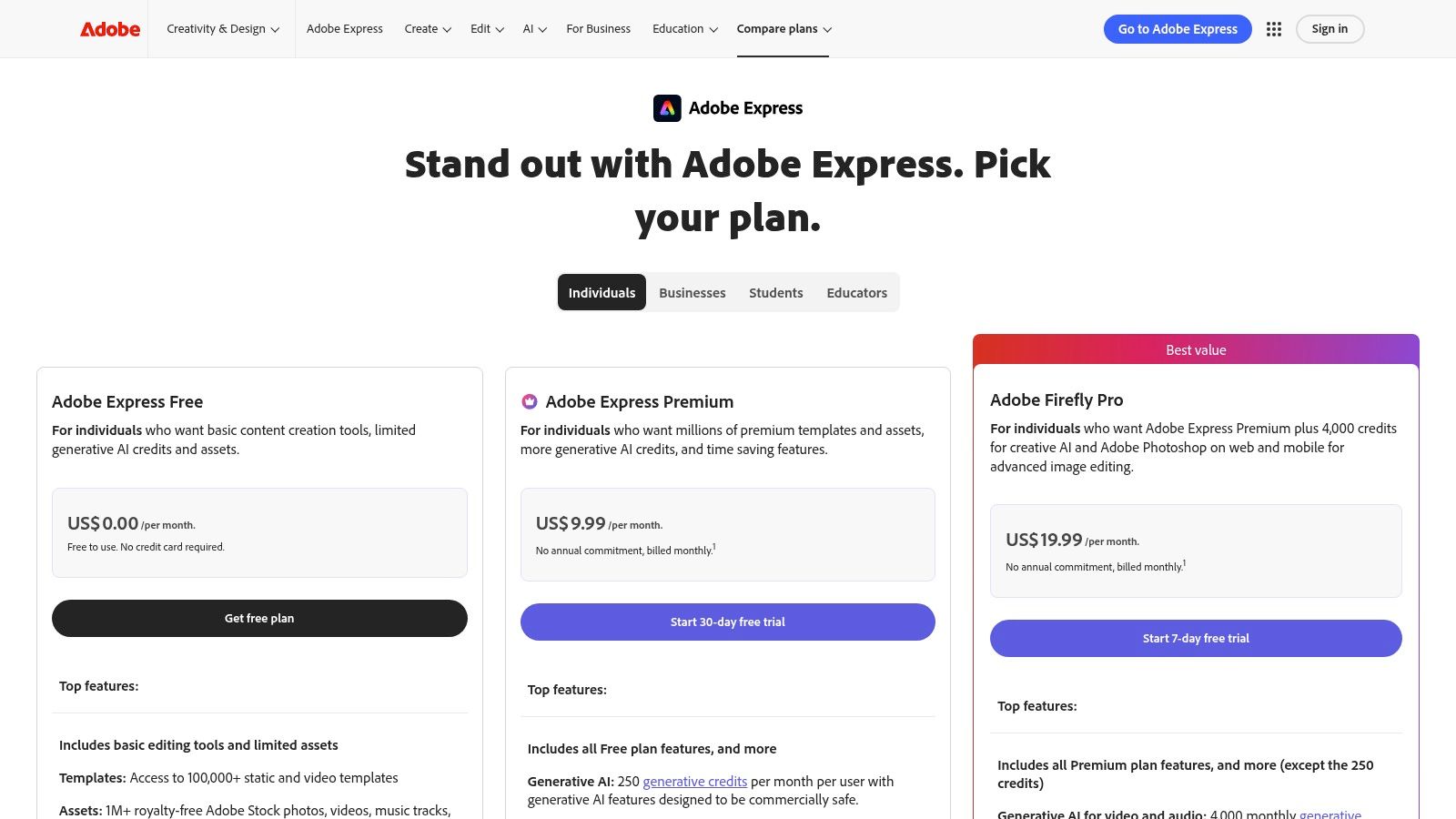
Adobe Express stands out as a powerful, all-in-one design suite that leverages Adobe's creative ecosystem for social media. It's an excellent choice for creators and teams already invested in Adobe products, offering seamless workflows and professional-grade assets. The platform excels at rapid, on-brand content production, making it one of the most versatile content creation tools for social media available.
Its core strength lies in combining user-friendly templates with sophisticated features. You can quickly generate a branded post, resize it for Instagram Stories, TikTok, and Facebook with a single click, and then use the built-in scheduler to publish it across platforms.
Key Features and Pricing
Adobe Express operates on a freemium model. The free plan is quite generous, but the Premium plan ($9.99/month) unlocks its full potential, including brand kits, premium templates, and a larger library of Adobe Stock assets.
| Feature | Free Plan | Premium Plan ($9.99/mo) |
|---|---|---|
| Generative AI | 25 credits/month | 250 credits/month |
| Adobe Stock Assets | Limited collection | 200M+ premium photos, videos, & music |
| Brand Kits | No | Yes, upload logos, fonts, & colors |
| Scheduler | Yes, connect 1 account per platform | Yes, connect 1 account per platform |
| One-Click Resize | Yes | Yes |
| Adobe Fonts | Basic collection | Full collection (25,000+ fonts) |
Pros and Cons
- Pros: The integration with Adobe Firefly generative AI for tasks like text-to-image and generative fill is a significant advantage. Its smooth compatibility with other Adobe Creative Cloud apps like Photoshop and Illustrator ensures a consistent and professional workflow. The extensive library of high-quality stock photos, videos, and music is a major time-saver.
- Cons: The main limitation is the monthly credit system for generative AI features on the Premium plan. High-volume users might find the 250 credits restrictive and need to purchase additional credit packs.
Website: https://www.adobe.com/express/pricing
3. Canva
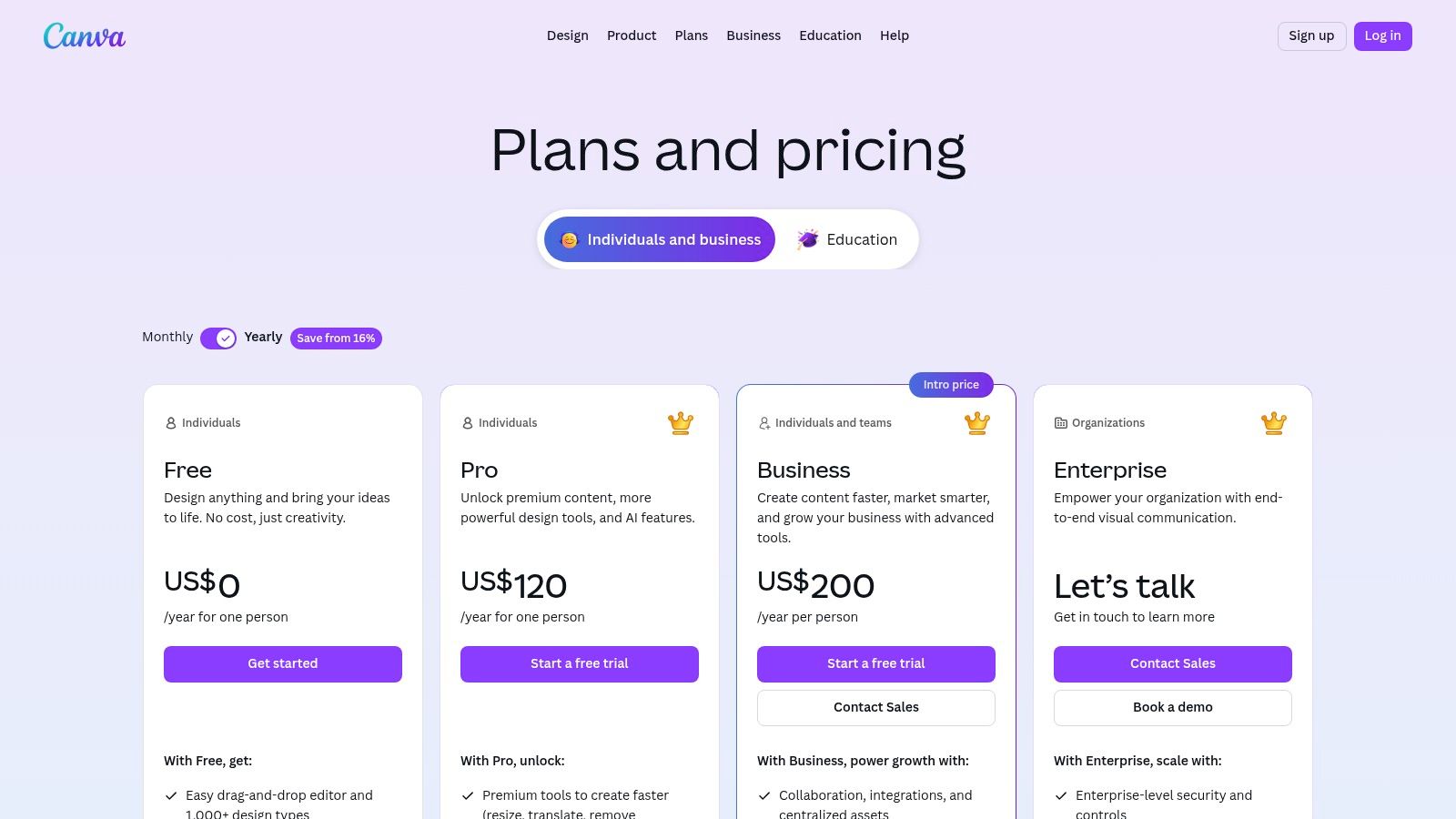
Canva has become the go-to design platform for millions, establishing itself as an essential, user-friendly tool for creating social media content. Its drag-and-drop interface and massive library of templates empower non-designers to produce professional-looking graphics, videos, and carousels in minutes. Canva is one of the most accessible content creation tools for social media, designed for speed and simplicity.
The platform excels at making design approachable. You can start with a pre-sized template for an Instagram Story, add your brand elements, and use its "Magic Studio" AI features to remove backgrounds or generate custom images. Its team collaboration tools, including real-time commenting and approval workflows, make it a powerful choice for marketing teams.
Key Features and Pricing
Canva offers a robust free version, but Canva Pro is necessary to unlock its most powerful features like the full asset library and Brand Kit. The Canva for Teams plan adds collaboration-focused tools.
| Feature | Free Plan | Pro Plan ($14.99/mo) | Teams Plan ($29.99/mo per user) |
|---|---|---|---|
| Templates & Assets | 250,000+ free templates | 100M+ premium stock photos, videos, & graphics | All Pro features |
| Magic Studio AI | Limited usage | Extensive usage (Magic Resize, AI writer, etc.) | All Pro features |
| Brand Kit | One color palette (3 colors) | Unlimited brand kits, fonts, logos, & colors | Centralized brand assets & templates |
| Content Planner | No | Yes | Yes, with approval workflows |
| Team Collaboration | No | Basic sharing | Real-time collaboration, comments, & approvals |
| Cloud Storage | 5GB | 1TB | 1TB |
Pros and Cons
- Pros: The platform has a very low learning curve, making it perfect for beginners and teams without a dedicated designer. Its vast ecosystem of templates, elements, and app integrations covers nearly every social media need.
- Cons: Team pricing can become expensive as you add more users, so it's important to verify current per-seat costs. While its video editor is capable for social media, it lacks the depth of a professional non-linear editor (NLE) for advanced motion graphics.
Website: https://www.canva.com/pricing/
4. CapCut (Bytedance)
CapCut, from TikTok's parent company Bytedance, has rapidly become an essential video editor for short-form content. It is engineered specifically for creating engaging TikToks, Instagram Reels, and YouTube Shorts, packing powerful features into an intuitive interface that works seamlessly across mobile, desktop, and web. Its direct integration with viral trends and sounds makes it one of the most efficient content creation tools for social media for creators focused on vertical video.
The platform's core advantage is its speed. Creators can jump on a trending audio or video format using a pre-built template, add their own clips, and use AI-powered tools like auto-captions and background removal to produce a polished, high-quality video in minutes. Cloud sync ensures projects are accessible and editable across all devices.
Key Features and Pricing
CapCut offers a robust free version with no watermarks, making it highly accessible. The Pro subscription unlocks advanced AI features, more effects, and cloud storage, with pricing that can vary by region and platform.
| Feature | Free Plan | Pro Plan (Varies) |
|---|---|---|
| AI Auto-Captions | Yes, with basic styles | Yes, with premium styles & effects |
| Trending Templates | Yes, full access | Yes, full access |
| AI Tools | Limited (e.g., basic background removal) | Advanced (e.g., Relight, Enhance Image) |
| Cloud Storage | Basic | Expanded (up to 100GB) |
| Effects & Transitions | Large library | Full library of premium assets |
| Team Collaboration | No | Yes, with Team plan |
Pros and Cons
- Pros: The speed of production for on-trend vertical video is unmatched. Its generous free version provides immense value, offering powerful tools and popular assets without a watermark. The cross-platform syncing between mobile and desktop apps is a major workflow enhancement.
- Cons: Pro pricing can be inconsistent, varying between platforms and regions, so users should verify the cost in-app. As the feature set evolves rapidly, some users report occasional bugs or performance issues.
Website: https://www.capcut.com/
5. Descript
Descript revolutionizes video and audio editing by transforming media into a text document. This unique approach makes it an indispensable tool for creators focused on dialogue-heavy content like podcasts, interviews, tutorials, and talking-head videos for platforms like TikTok and Instagram Reels. Its core innovation is text-based editing, allowing you to edit your video or audio by simply editing the auto-generated transcript.
This method dramatically speeds up the post-production workflow. Instead of scrubbing through timelines, you can cut, copy, paste, and delete words or entire sections from the text, and the corresponding media is edited automatically. This makes Descript one of the most intuitive and efficient content creation tools for social media for anyone who works with spoken-word content.
Key Features and Pricing
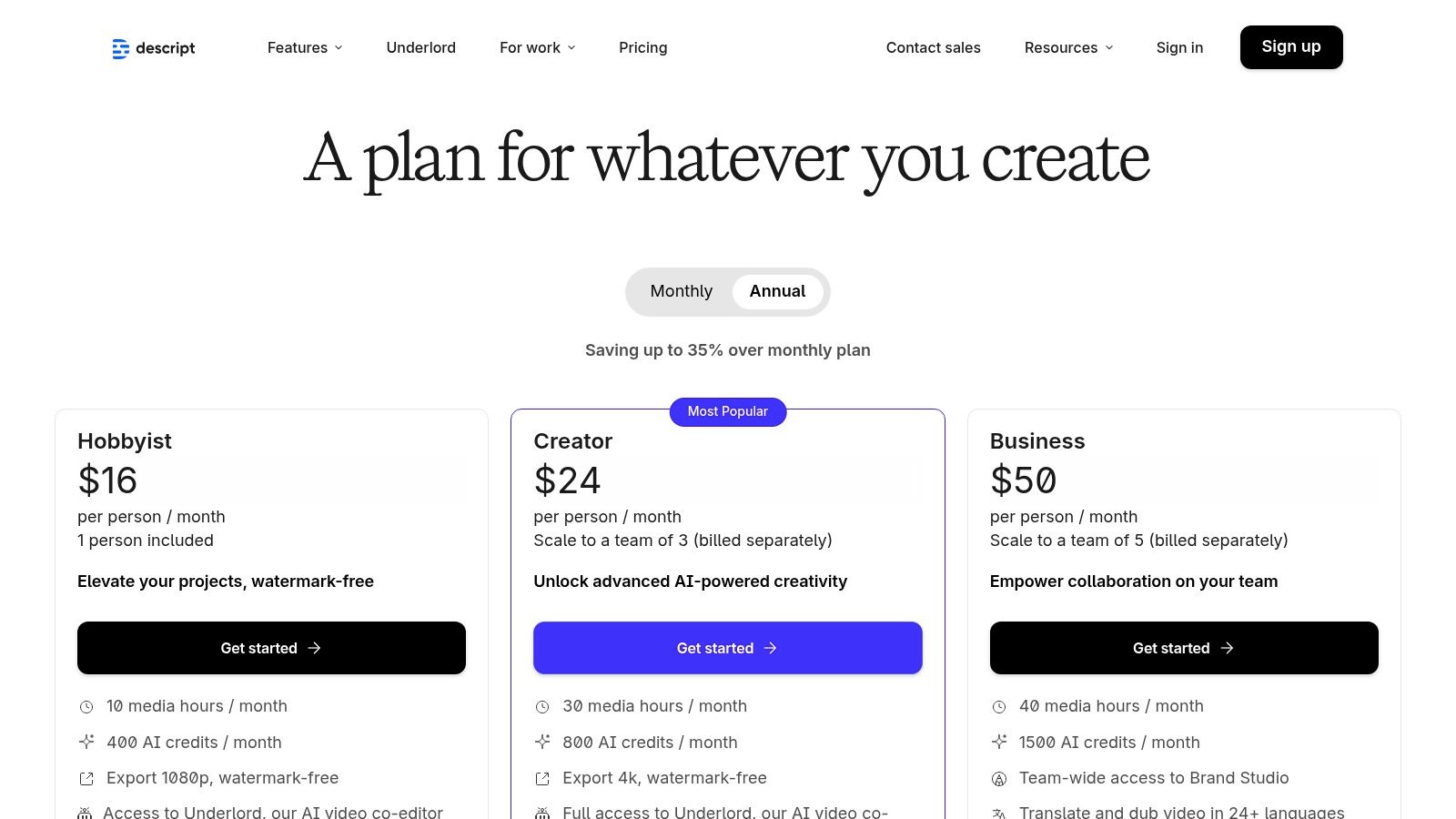
Descript offers a free plan with basic functionality and tiered paid plans for more advanced features. The Creator plan is a great starting point, while the Pro plan unlocks higher limits and AI voice cloning.
| Feature | Free Plan | Creator Plan ($12/mo) | Pro Plan ($24/mo) |
|---|---|---|---|
| Transcription Hours | 1 hour/month | 10 hours/month | 30 hours/month |
| Watermark-Free Export | No (1/month) | Yes | Yes |
| Studio Sound | Yes | Yes | Yes |
| AI Voice Cloning (Overdub) | No | Yes (1,000-word vocabulary) | Yes (Unlimited vocabulary) |
| Filler Word Removal | "um" & "uh" only | Yes (18 filler words & repeated words) | Yes (18 filler words & repeated words) |
| Stock Media | Limited collection | Yes, extensive library | Yes, extensive library |
Pros and Cons
- Pros: The text-based editing dramatically speeds up workflows for any content driven by dialogue, making it incredibly easy for non-editors to create polished videos. Features like one-click filler word removal ("um," "uh," "you know") and Studio Sound for background noise cleanup are powerful time-savers.
- Cons: The platform's effectiveness hinges on the accuracy of its transcription, which can struggle with heavy accents or poor audio quality. It is not designed for complex visual effects or advanced color grading, making it a specialized tool rather than a full replacement for traditional video editors like Premiere Pro.
Website: https://www.descript.com/pricing
6. DaVinci Resolve (Blackmagic Design)
DaVinci Resolve is an industry-standard, all-in-one post-production suite that has become a powerhouse for high-end social media video. While known for its Hollywood-grade color grading, it integrates professional video editing, visual effects (Fusion), and audio post-production (Fairlight) into a single application. This makes it one of the most comprehensive content creation tools for social media for creators focused on producing polished, cinematic-quality video content for platforms like YouTube, Instagram, and TikTok.
Its main advantage is offering professional-level tools for free. The learning curve is steeper than template-based editors, but for creators willing to learn, it provides unparalleled control over the final product. You can manage complex timelines, perform precise color correction, and master audio without ever leaving the software.
Key Features and Pricing
DaVinci Resolve offers an incredibly powerful free version that includes most of its core functionality. The paid Studio version is a one-time purchase that unlocks advanced AI features, more effects, and higher-resolution support.
| Feature | Free Version | Studio Version ($295 one-time) |
|---|---|---|
| Editing & Color Grading | Professional toolset, unlimited resolution | Included |
| AI Neural Engine | Not included | Yes, for features like Magic Mask & Smart Reframe |
| Advanced FX | Limited collection of Resolve FX | Full suite of GPU & CPU accelerated Resolve FX |
| Collaboration | Yes, with local network | Yes, with remote collaboration features |
| Export Presets | Yes, for social platforms (YouTube, TikTok) | Yes, with more advanced format options |
| HDR Grading | No | Yes, advanced HDR scopes and color |
Pros and Cons
- Pros: The free version is arguably the most powerful free video editor available, offering features that rival expensive competitors. Its integrated workflow for editing, color, VFX, and audio is incredibly efficient. The color grading tools are unmatched in the industry.
- Cons: The software has a significant learning curve for beginners transitioning from simpler editors. The one-time cost for the Studio version, while excellent value, is a notable upfront investment compared to monthly subscriptions.
Website: https://www.blackmagicdesign.com/products/davinciresolve/
7. Envato Elements
Envato Elements positions itself as an "unlimited creative subscription," offering a massive library of assets that can dramatically accelerate social media content workflows. It's an ideal solution for creators, freelancers, and agencies who need a constant supply of high-quality templates, stock media, and audio without the friction of per-asset licensing. This platform is less a single tool and more a creative arsenal, making it one of the most cost-effective content creation tools for social media for high-volume producers.
Its core value is the sheer breadth of its collection. You can download a video template for a Reel, find the perfect background music, grab a set of animated text presets, and download custom fonts, all under a single, simple commercial license. This streamlines the creation process, removing budgetary and legal hurdles.
Key Features and Pricing
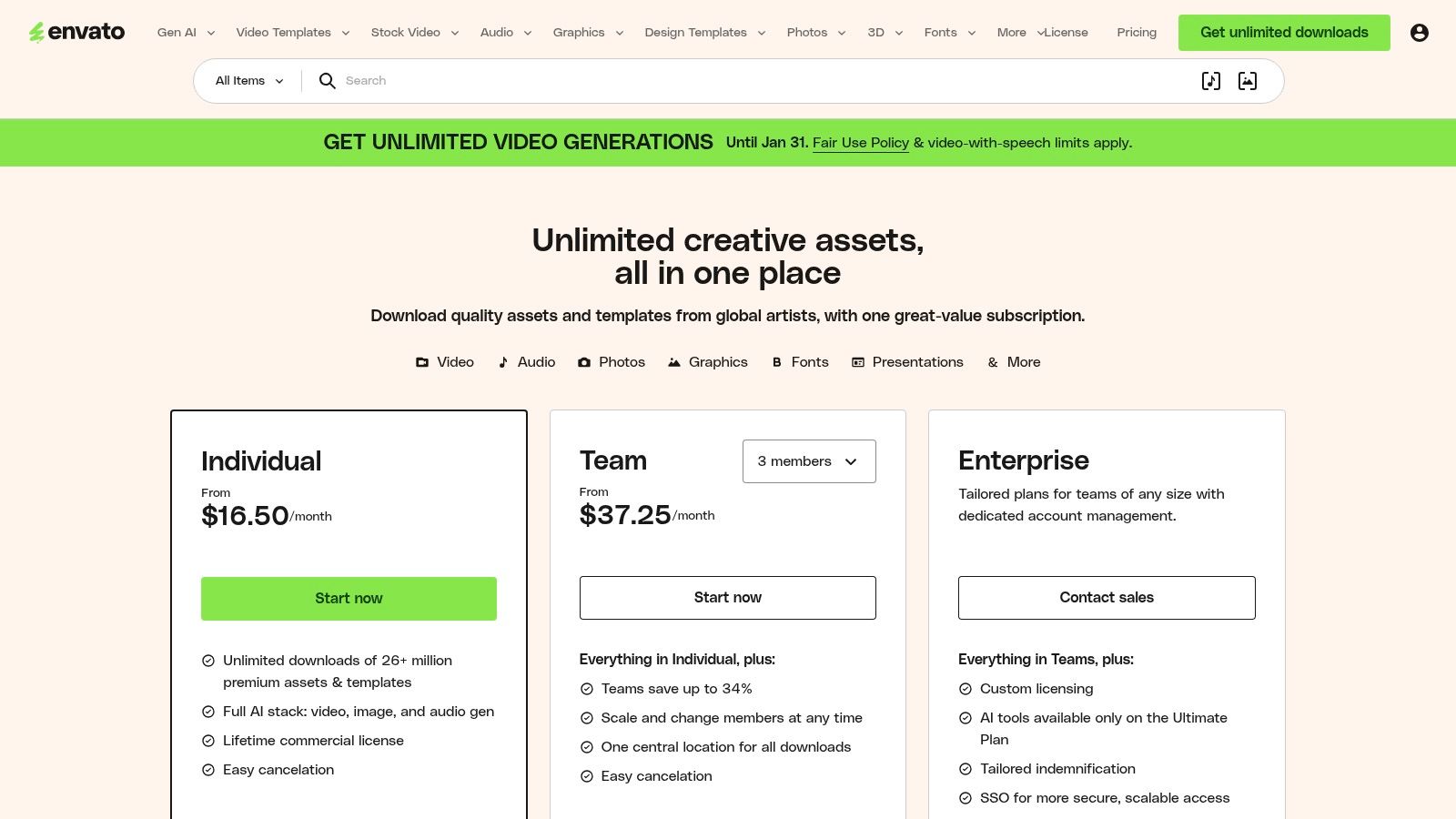
Envato Elements offers a straightforward subscription model for individuals and teams, with unlimited downloads being the primary draw (subject to a fair use policy). Pricing starts at $16.50/month for an individual annual plan.
| Feature | Individual Plan ($16.50/mo, billed annually) | Teams Plan (Starts at $29/mo for 2 members) |
|---|---|---|
| Unlimited Downloads | Yes, for millions of creative assets | Yes, with centralized billing |
| Simple Commercial License | Yes, covers all assets for commercial use | Yes, with licenses transferable to teammates |
| Asset Library | Stock video, photos, music, video templates, fonts, etc. | Same as Individual plan |
| AI Generation | Includes AI-powered image generator | Includes AI-powered image generator |
| Team Management | No | Yes, add and manage team members |
Pros and Cons
- Pros: The unlimited download model provides incredible value, especially for creators producing diverse content like videos, carousels, and animations. The simple, broad commercial license is a major advantage for client work, removing complex legal concerns. The library of high-quality video and motion graphics templates is a standout feature.
- Cons: The vastness of the library means quality can be inconsistent; users need to spend time curating and finding the best assets. While AI tools are included, they may have generation limits or be less advanced than dedicated AI platforms.
Website: https://elements.envato.com/pricing
8. Artlist
Artlist positions itself as a premium, creator-focused licensing platform, providing high-quality music, sound effects, and stock footage essential for professional-grade social media video. Its standout feature is a simple, all-encompassing license that covers use on monetized YouTube, TikTok, and Instagram channels, removing the typical complexities of music licensing. For creators who prioritize cinematic quality and audio, Artlist is one of the top-tier content creation tools for social media.
The platform is designed for a seamless creative workflow, allowing users to find the perfect track or clip quickly. With bundles that combine music, SFX, footage, and even AI tools like voiceover generation, it consolidates multiple subscriptions into one, streamlining the content production process for serious creators and brands.
Key Features and Pricing
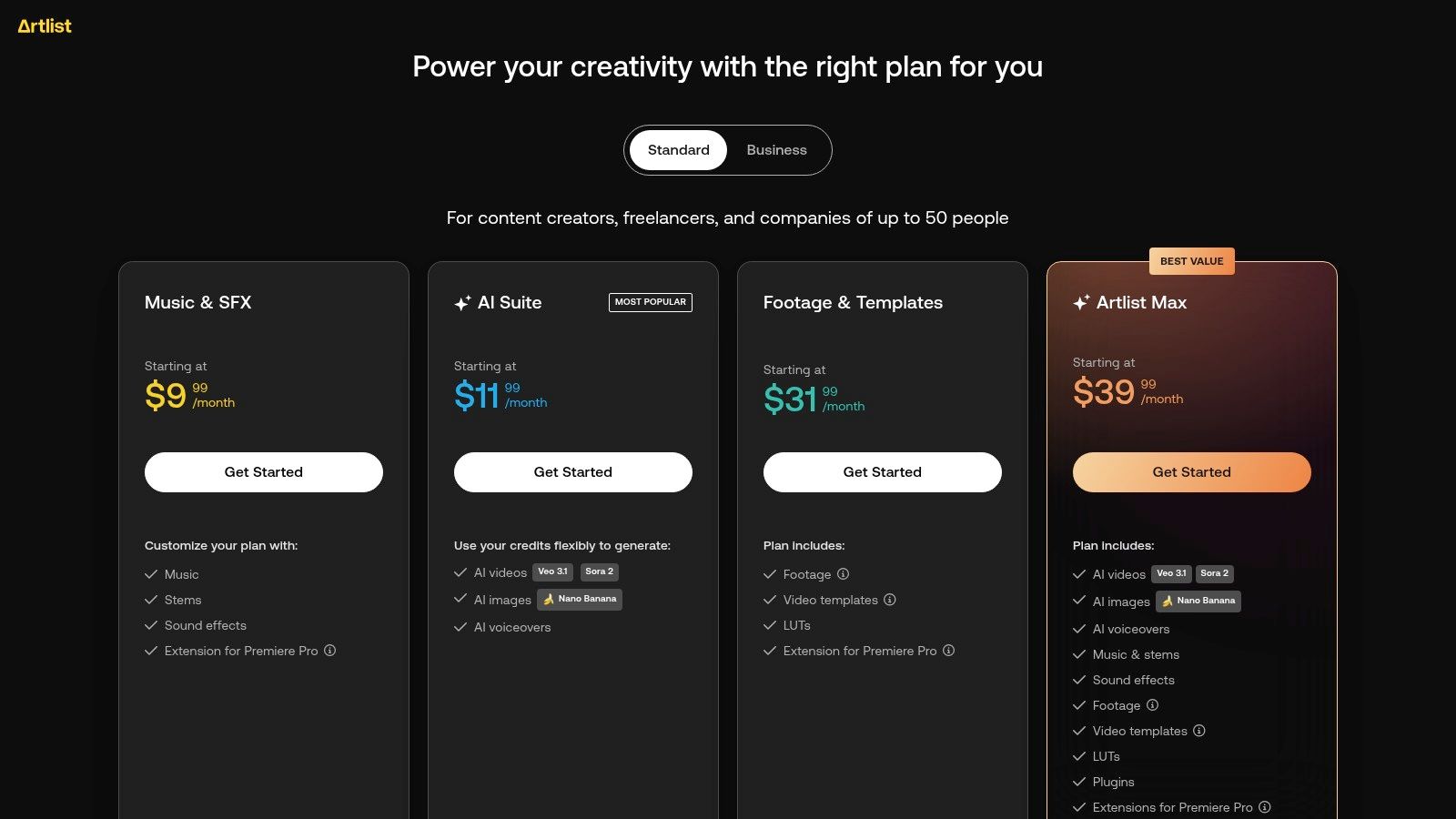
Artlist offers various subscription tiers based on the assets you need. The "Music & SFX – Social" plan is ideal for individual creators, while the comprehensive "Max" plans bundle all asset types and AI tools for maximum value.
| Feature | Music & SFX – Social ($9.99/mo) | Artlist Max – Social ($29.99/mo) |
|---|---|---|
| Music & SFX | Yes, full catalog | Yes, full catalog |
| Stock Footage | No | Yes, 4K-8K footage |
| Video Templates | No | Yes, for various editing software |
| Plugins & Apps | No | Yes, plugins for Premiere Pro, etc. |
| AI Tools (Voiceover/Image) | No | Yes, part of the Max bundle |
| Licensing Coverage | 1 channel per platform (YT, FB, IG, etc.) | 1 channel per platform (YT, FB, IG, etc.) |
Pros and Cons
- Pros: The simple, creator-friendly licensing for monetized social media channels is a huge advantage. The "Max" bundles offer incredible value by combining music, SFX, footage, templates, and AI tools into a single, cost-effective subscription. The quality of the curated assets is consistently high.
- Cons: The most valuable features and bundled assets are locked behind the higher-tier "Max" plans. Using assets for broadcast advertising or client work typically requires a more expensive Pro or Business tier license.
Website: https://artlist.io/page/pricing/music-and-sfx
9. Storyblocks
Storyblocks is an essential resource for creators who consistently need high-quality stock media. It offers a massive library of video clips, After Effects templates, motion backgrounds, music, and sound effects, all available under a simple, unlimited-download subscription model. This makes it a cost-effective and predictable choice for producing video-heavy social media content for platforms like YouTube, TikTok, and Instagram Reels.
The platform's value lies in its unlimited access model, which empowers creators to experiment freely without worrying about per-asset costs or download limits. This approach makes it one of the most practical content creation tools for social media for agencies and individuals producing content at scale. The library also includes a web-based video editor, Maker, for quick edits and an Adobe Creative Cloud plugin for seamless workflow integration.
Key Features and Pricing
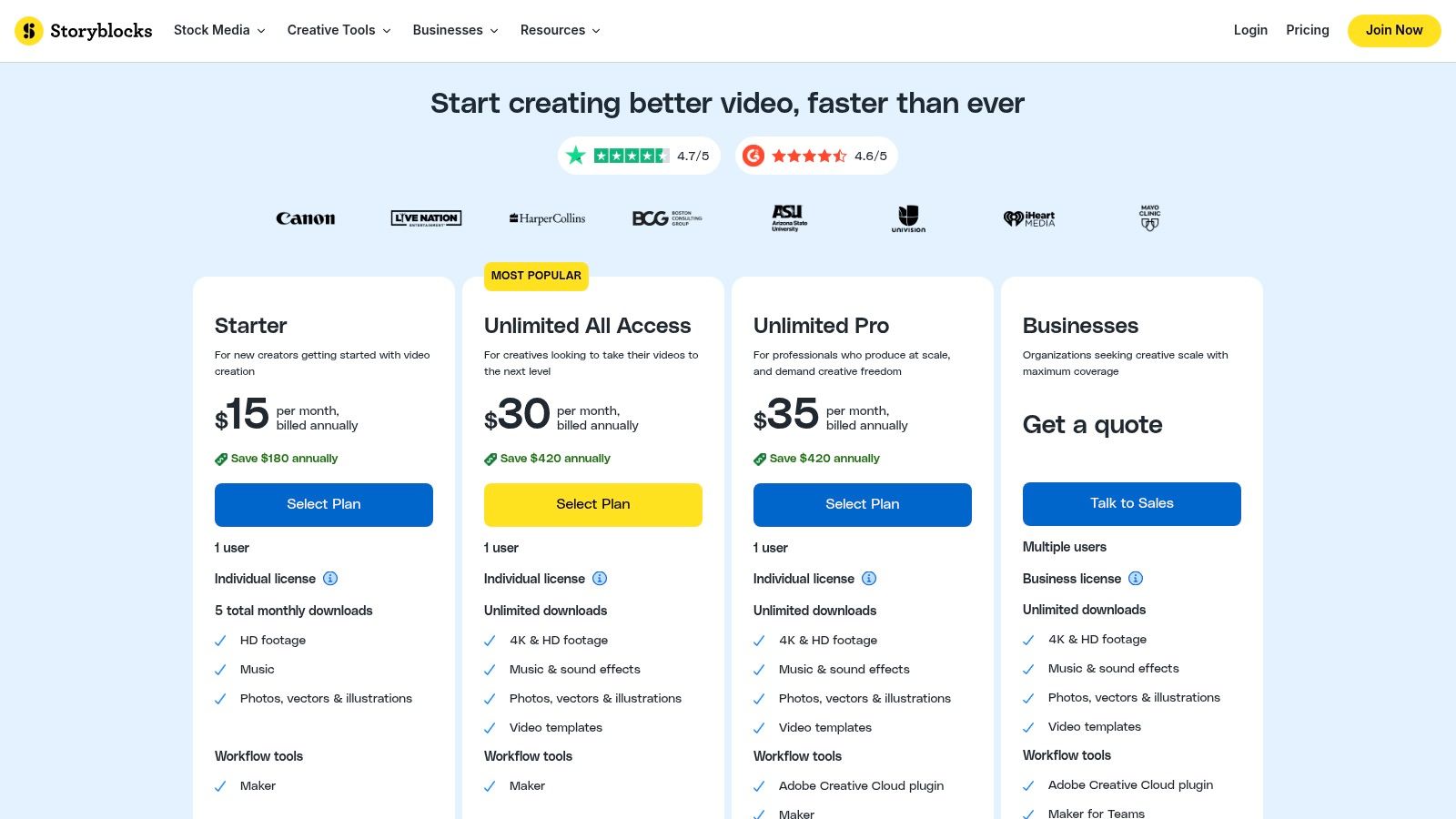
Storyblocks uses a subscription-based model with different tiers for individuals and businesses. The "Unlimited All Access" plan is the most popular, providing comprehensive access to the entire media library.
| Feature | Starter Plan ($15/mo) | Unlimited All Access ($30/mo) |
|---|---|---|
| Video Downloads | 5 HD video downloads/month | Unlimited HD & 4K video downloads |
| Audio Downloads | No | Unlimited music & sound effects |
| Photo & Template Access | No | Unlimited photos, vectors, & templates |
| Web Editor (Maker) | Yes | Yes |
| Adobe CC Plugin | No | Yes |
| Licensing | Standard individual license | Standard individual license |
Pros and Cons
- Pros: The unlimited download model offers incredible value and predictable costs for creators who use a high volume of stock media. Clear licensing for individual and business use, with indemnification options on Pro plans, provides peace of mind. The Adobe Creative Cloud plugin streamlines the production workflow significantly.
- Cons: The Starter plan is quite limited, making the Unlimited plan almost a necessity for serious creators. Due to the vast size of the catalog, finding the perfect, unique clip can sometimes require more time and effort compared to more curated libraries.
Website: https://www.storyblocks.com/pricing
10. Buffer
Buffer excels as a streamlined publishing and analytics suite designed to complement your primary creation workflow. While not a design tool itself, its strength lies in organizing, scheduling, and measuring the impact of content you’ve created elsewhere. For teams and solo creators who already use dedicated design platforms, Buffer is one of the most effective content creation tools for social media for managing the final stages of the content lifecycle.
Its core value is its clean, user-friendly interface that simplifies complex scheduling tasks. With a visual calendar, an intuitive content queue, and first-comment scheduling for platforms like Instagram, it ensures your content goes live at the optimal time. The built-in AI Assistant is a handy feature for quickly generating post ideas, rewriting copy, and repurposing existing content for different channels.
Key Features and Pricing
Buffer offers a generous free plan suitable for getting started, but its paid plans unlock essential analytics and team features. The Essentials plan starts at $6 per month per channel.
| Feature | Free Plan | Essentials Plan ($6/mo per channel) |
|---|---|---|
| Connected Channels | Up to 3 | Starts at 1 (add more as needed) |
| AI Assistant | Yes, with limits | Yes, with higher limits |
| Scheduled Posts | 10 per channel | 2,000 per channel |
| Analytics & Reporting | Basic | In-depth analytics and custom reports |
| Engagement Tools | No | Yes, includes inbox for comments & DMs |
| Integrations | Canva, Dropbox, Google Drive, Unsplash | All integrations included |
Pros and Cons
- Pros: The platform is known for its transparent, affordable pricing and an exceptionally clean user experience, making it ideal for small teams and individuals. Its focus on scheduling and analytics provides a clear, uncluttered workflow.
- Cons: Buffer has very limited native creative editing capabilities, meaning it must be paired with other design or video tools for a complete content solution. Deeper analytics and collaboration features are reserved for the paid tiers.
Website: https://buffer.com/pricing
11. Amazon (Marketplace for creator gear)
While not a software tool, Amazon is an indispensable resource for physical content creation tools for social media. It serves as the largest and most accessible marketplace for outfitting a home studio or mobile creator kit, offering everything from cameras and microphones to lighting and tripods. Its unmatched logistics network makes it ideal for quickly acquiring or replacing essential gear.
The platform's strength lies in its vast selection, competitive pricing, and user-generated feedback. Creators can compare dozens of brands for a single product, read detailed reviews from other users, and find deals on new, used, or refurbished equipment. Creator-focused bundles and "kit" listings also simplify the process of purchasing complementary accessories like capture cards, stands, and cables in one go.
Key Features and Offerings
Amazon's pricing is dynamic and varies by product, seller, and condition. The primary value comes from the breadth of options and the convenience of its Prime membership, which offers fast, free shipping on millions of items.
| Feature | Details |
|---|---|
| Product Inventory | Extensive selection of cameras, mics, lights, tripods, and accessories. |
| Prime Benefits | Fast, free shipping and easy returns on eligible items. |
| User Reviews & Q&A | In-depth community feedback for vetting product quality and performance. |
| Creator Bundles | Pre-packaged kits for specific use cases (e.g., vlogging, streaming). |
| Condition Options | New, Used, and Amazon Renewed (refurbished) items are available. |
| Deals & Discounts | Frequent sales events like Prime Day and daily deals on electronics. |
Pros and Cons
- Pros: The speed of Prime delivery is a massive advantage for creators needing gear quickly. The enormous selection provides wide coverage across different price points and brands, and user reviews are invaluable for making informed purchasing decisions.
- Cons: Product quality can be inconsistent across third-party sellers, so carefully vetting listings and seller ratings is essential. The platform's algorithmic recommendations can also be overwhelming and sometimes irrelevant.
Website: https://www.amazon.com/
12. B&H Photo Video
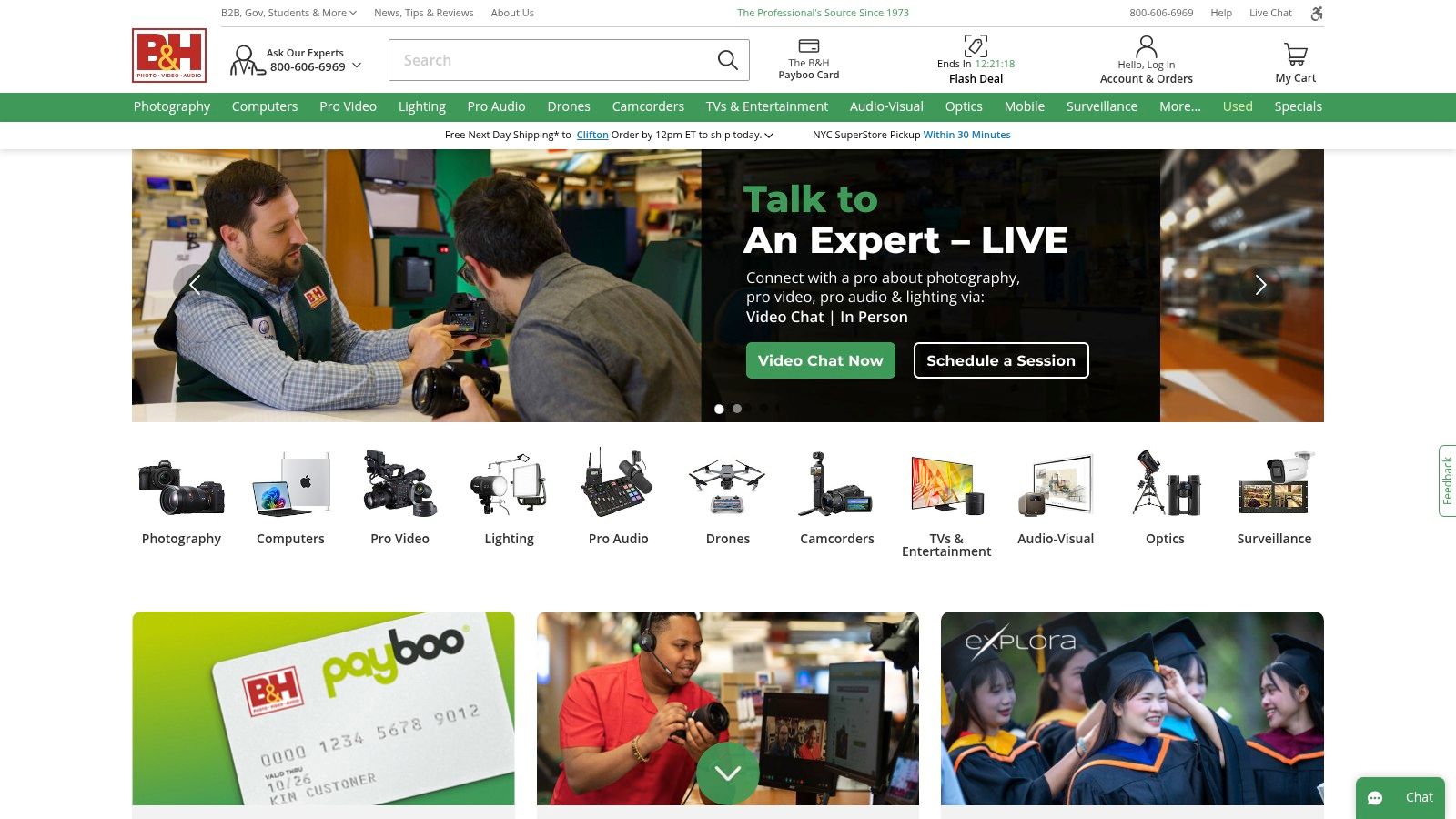
While not a software tool, B&H Photo Video is an essential resource for creators serious about upgrading their physical production quality. It’s a trusted retailer specializing in the cameras, microphones, lighting, and streaming gear that form the backbone of high-quality social media content. Their curated kits and expert support make it one of the best places to source professional content creation tools for social media.
The platform’s strength is its expertise. Instead of navigating endless listings on a mass marketplace, you can find vlogger-specific kits that bundle compatible microphones, tripods, and lights for your exact camera. This simplifies the often-confusing process of building a functional and high-performing content creation setup.
Key Features and Pricing
B&H is a retail platform, so pricing is per item. They offer a mix of new, used, and open-box products to fit different budgets, along with financing options for larger purchases. Their value is in the combination of product selection and service.
| Feature | Availability | Description |
|---|---|---|
| Creator/Vlogger Kits | Yes | Pre-packaged bundles of compatible mics, tripods, and accessories. |
| Expert Support | Yes (Live Chat, Phone, In-Store) | Knowledgeable sales staff can advise on the best gear for your needs. |
| Used & Open-Box Gear | Yes | Provides cost-effective options for high-quality, pre-owned equipment. |
| Financing Options | Yes | Pay-over-time plans available for significant gear investments. |
| Fast Shipping/RMA | Yes | Free expedited shipping on many items and a reliable returns process. |
| Detailed Product Pages | Yes | In-depth specs, user reviews, and Q&As to inform purchasing decisions. |
Pros and Cons
- Pros: The strong pre- and post-sales support from product experts is invaluable for making informed decisions and troubleshooting issues. Curated kits simplify the process of selecting compatible parts, saving time and preventing purchasing mistakes. The availability of used gear offers a great way to access professional equipment on a tighter budget.
- Cons: Prices are typically at MSRP outside of special promotions, so it may not be the cheapest option. The inventory focuses on reputable brands, meaning there are fewer ultra-budget or obscure brands compared to massive online marketplaces.
Website: https://www.bhphotovideo.com/
Top 12 Social Media Content-Creation Tools — Comparison
| Tool | Core features | UX & Rating | Pricing & Value | Target audience | Unique strengths |
|---|---|---|---|---|---|
| GrabShot.io 🏆 | Capture/upload → AI beautify → OCR redaction; templates; padding/corners/shadow | ★4.9/5 (1.2k+ users) — ultra fast | 💰 Free (5/mo) · Pro $9/mo — unlimited, OCR, priority | 👥 Creators, designers, marketers, devs, QA, support | ✨ Fast 3-step flow; automatic OCR redaction; export-ready presets; shareable history & templates |
| Adobe Express | Templates, Firefly AI, scheduler, Adobe Stock | ★4.4 — brand-safe, robust assets | 💰 Free + Premium (Adobe plans); premium assets cost extra | 👥 Social marketers, brand teams, agencies | ✨ Firefly generative AI + Stock; one-click resize & scheduler |
| Canva | Drag‑and‑drop editor, Magic Studio AI, Brand Kit, templates | ★4.6 — very easy, huge library | 💰 Free + Pro (per-seat) — team pricing varies | 👥 Non-designers, small teams, content creators | ✨ Massive template/ecosystem; Brand Kit & AI tools |
| CapCut | Short-form video editor, auto-captions, templates, cloud sync | ★4.4 — fast for vertical social | 💰 Freemium (some pro/region tiers) | 👥 TikTok/Reels/Shorts creators | ✨ Vertical-optimized templates; strong auto-captions & effects |
| Descript | Text-based audio/video editing, Overdub, screen recorder | ★4.5 — great for dialogue-heavy work | 💰 Free + paid tiers; AI features on paid plans | 👥 Podcasters, talking-head creators, educators | ✨ Text-edit workflow; voice cloning & Studio Sound cleanup |
| DaVinci Resolve | Full NLE: editing, color, Fusion VFX, Fairlight audio | ★4.7 — pro-grade; steeper learning curve | 💰 Free (powerful); Studio one-time license (paid) | 👥 Professional editors, post teams | ✨ Industry-grade color/audio; powerful free offering |
| Envato Elements | Unlimited assets/templates, AI tools, commercial license | ★4.5 — cost-effective asset access | 💰 Subscription — unlimited downloads (subject to policy) | 👥 Creators needing large volumes of assets | ✨ Broad licensed library; simple commercial licensing |
| Artlist | Music, SFX, stock video, AI voiceover & bundles | ★4.5 — creator-friendly licensing | 💰 Subscription; bundled “Max” for multi-assets | 👥 Video creators, brands needing licensed audio | ✨ Unified music+SFX+footage bundles; AI voiceover add-ons |
| Storyblocks | Unlimited stock video, templates, audio; Adobe plugin | ★4.4 — predictable for heavy downloaders | 💰 Unlimited plans for heavy users; business tiers w/ indemnification | 👥 Agencies, heavy asset producers | ✨ Unlimited downloads; NLE templates; business indemnification |
| Buffer | Scheduling, AI writing assistant, calendar, analytics | ★4.3 — clean UX for small teams | 💰 Free + paid tiers; advanced analytics are paid | 👥 Small teams, solo creators, social managers | ✨ Visual content calendar; AI copy tools; integrations |
| Amazon (Marketplace) | Cameras, lights, mics, capture cards; Prime shipping & reviews | ★4.2 — widest selection; variable quality | 💰 Variable pricing; deals, refurbished options | 👥 Creators building gear kits; bargain hunters | ✨ Huge inventory; fast shipping; extensive user reviews |
| B&H Photo Video | Curated gear, creator kits, expert support, used inventory | ★4.5 — trusted retailer & service | 💰 Retail pricing; financing & used/open-box options | 👥 Professionals seeking curated gear & support | ✨ Expert pre/post-sales support; curated kits; fast RMA |
Building Your Ultimate Social Media Content Stack
Navigating the expansive landscape of content creation tools for social media can feel overwhelming. We've explored a wide array of options, from powerhouse visual editors like Adobe Express and Canva to sophisticated video platforms like Descript and DaVinci Resolve. We've also covered asset libraries like Envato Elements and essential creator marketplaces such as B&H Photo Video. The key takeaway isn't to master every tool, but to strategically assemble a personalized 'stack' that aligns perfectly with your goals, workflow, and budget.
The most effective content creators don't rely on a single, mythical, all-in-one solution. Instead, they build a synergistic toolkit where each piece serves a specific, critical function. This approach transforms content creation from a series of disjointed, time-consuming tasks into a streamlined, efficient, and even enjoyable process.
Crafting Your Personalized Toolkit
To build your ideal content stack, you must first diagnose your primary challenges and objectives. A structured self-assessment is the fastest way to identify which tools will deliver the most significant impact on your social media efforts.
Start by asking these critical questions:
- What is my biggest content bottleneck? Is it the slow process of creating on-brand graphics, the technical complexity of video editing, or the time spent sourcing high-quality music and stock footage? Identifying this pain point will immediately point you toward your first priority tool.
- What type of content do I create most often? If your strategy is heavy on short-form video for TikTok and Reels, a mobile-first editor like CapCut is non-negotiable. If you primarily produce educational carousels and infographics for LinkedIn, a design platform like Canva is essential.
- What is my team's technical skill level? A professional video editor might thrive in DaVinci Resolve, but a social media manager needing to make quick edits will be far more productive in Descript or CapCut. Be realistic about the learning curve your team can handle.
- How important is speed and collaboration? For teams creating tutorials, documenting processes, or providing support, a tool that combines screenshotting, annotation, and secure cloud sharing is a game-changer. Tools like GrabShot.io are built specifically to accelerate these visual communication workflows.
A Practical Approach to Tool Selection
Once you've clarified your needs, you can begin to pair solutions from our list. Think of it as assembling a team where each player has a specialized role.
Consider these example stacks for different user needs:
- For the Agile Social Media Manager: A combination of Canva (for rapid template-based graphics), CapCut (for quick, trending video edits), and Buffer (for scheduling) creates a powerful and efficient workflow for daily content production.
- For the Technical Content Creator: A stack featuring GrabShot.io (for crisp, annotated screenshots and screen recordings), Descript (for editing tutorials and interviews like a text document), and Artlist (for professional, royalty-free background music) is ideal for producing high-quality instructional content.
- For the High-Production Video Team: Combining DaVinci Resolve (for professional-grade color grading and editing), Storyblocks (for a vast library of 4K stock footage), and a curated gear list from B&H Photo Video provides the foundation for cinematic social media video.
Ultimately, the best suite of content creation tools for social media is the one that empowers you to execute your strategy consistently and effectively. The goal is to spend less time fighting with your software and more time engaging with your audience. By thoughtfully selecting and integrating the right tools, you can build a content engine that not only saves precious time but also dramatically elevates the quality and impact of your brand's digital presence.
Ready to speed up your visual content workflow? For creating crystal-clear screenshots, screen recordings, and annotations that you can share instantly and securely, GrabShot.io is an indispensable part of any modern content stack. Try it for free and see how it can streamline everything from creating tutorials to providing visual feedback. Visit GrabShot.io to get started.