
Creating clear, accessible, and maintainable technical documentation is no longer a luxury; it's a core requirement for product success, developer productivity, and user satisfaction. The right platform can transform a convoluted process into a streamlined workflow, ensuring your guides, APIs, and internal knowledge bases are always accurate and easy to navigate. However, the market is saturated with options, each catering to different needs, from massive enterprise-level help authoring to lightweight, developer-centric platforms. This guide is designed to cut through the noise.
We’ve compiled a comprehensive list of the best tools for technical documentation to help you make an informed decision. Whether you're a technical writer managing complex versioning, a developer needing to auto-generate API docs from code, or a customer success team building a user-friendly help center, there's a solution here for you. Instead of just listing features, we provide a detailed analysis of what makes each tool stand out.
Inside this resource, you will find:
- A breakdown of core features and unique capabilities for each platform.
- Honest assessments of potential limitations and ideal use cases.
- Practical insights on pricing, implementation, and target audience.
- Direct links and screenshots to give you a clear view of the user experience.
This article provides the clarity needed to select the perfect tool that aligns with your team’s workflow, technical requirements, and budget. Let’s dive into the top solutions that can elevate your documentation strategy.
1. GrabShot.io
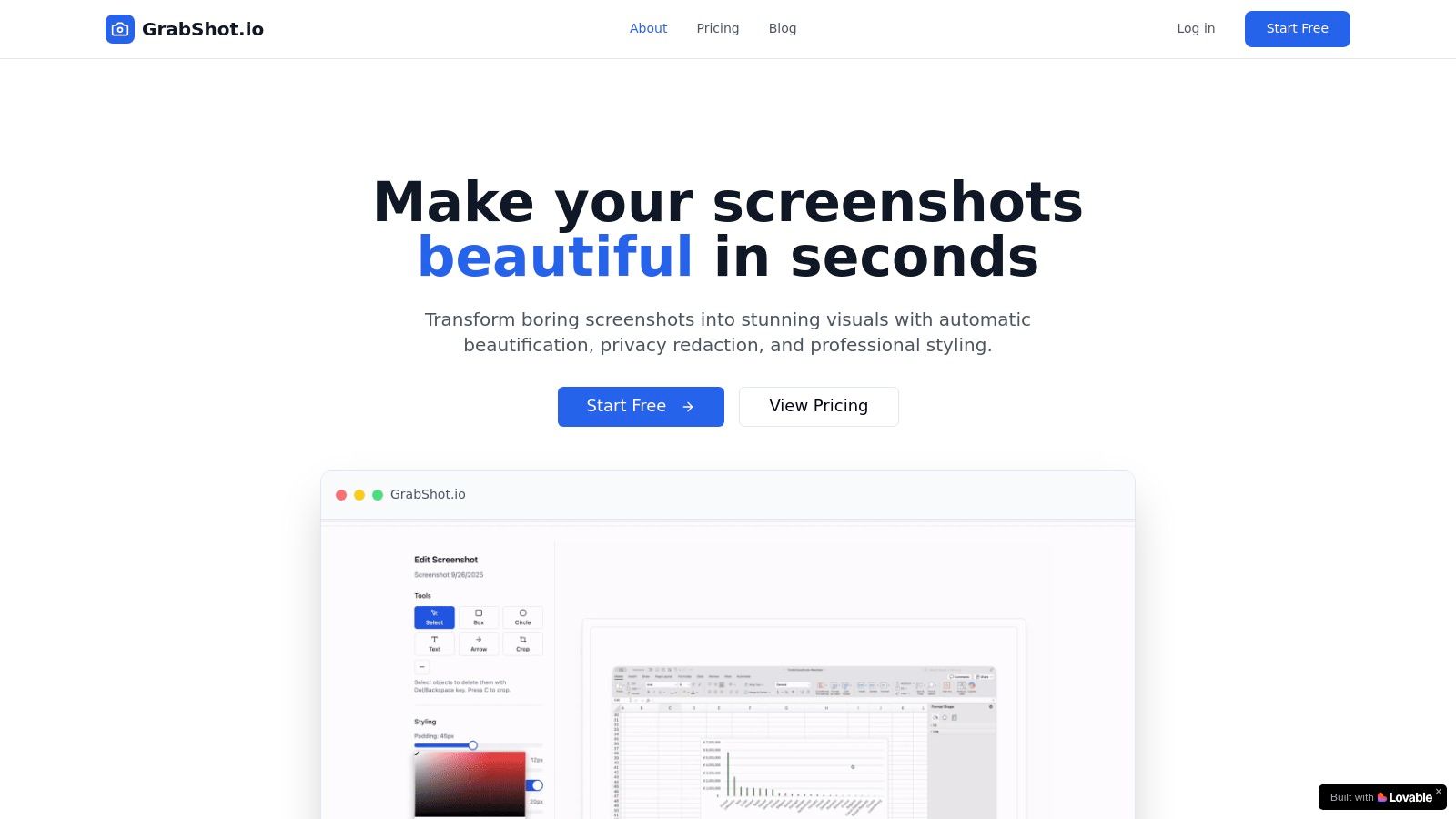
GrabShot.io stands out as one of the best tools for technical documentation by mastering a critical, yet often overlooked, element: the screenshot. It is an exceptionally intuitive, browser-based tool designed to transform mundane screen captures into polished, professional-grade visuals with minimal effort. Its streamlined workflow empowers developers, support teams, and technical writers to create clear, visually appealing documentation that enhances reader comprehension and engagement.
The platform’s strength lies in its AI-powered beautification engine, which automatically applies elegant styling, consistent padding, and soft drop shadows to any screenshot. This eliminates the tedious manual editing typically required in traditional image editors, saving significant time. For technical writers documenting a bug or illustrating a software feature, this means creating clean, consistent visuals for tutorials and knowledge bases in seconds, not minutes.
Key Strengths and Use Cases
GrabShot.io excels in scenarios where clarity, speed, and privacy are paramount. Its built-in OCR redaction is a game-changer for anyone handling sensitive information. The tool automatically detects text within an image, allowing you to blur or block out user data, API keys, or personal details with a single click. This is invaluable for creating public-facing bug reports, support tickets, or user guides without risking data exposure.
"The privacy redaction is a game-changer for our support team. We can now share screenshots with engineering to resolve issues without worrying about exposing customer data." – Mike Rodriguez, Marketing Manager
The platform-optimized templates are another practical feature. With presets for social media platforms like Twitter and LinkedIn, along with developer-centric sites like Dribbble, technical teams can ensure their visual assets are perfectly formatted for release notes, blog posts, or promotional materials.
Pricing and Plan Details
GrabShot.io offers a straightforward two-tier pricing model:
- Free Plan: Suitable for occasional use, providing 5 screenshots per month with basic beautification features and standard templates.
- Pro Plan ($9/month): Unlocks the tool's full potential with unlimited screenshots, advanced AI styling, OCR redaction, custom templates, and priority support.
Analysis: Pros and Cons
| Pros | Cons |
|---|---|
| Instant Polish: AI-driven beautification turns raw screenshots into professional assets immediately. | Limited Free Tier: The 5-screenshot limit on the free plan is restrictive for active documentation. |
| Effortless Redaction: Built-in OCR automatically finds and masks sensitive text, ensuring privacy. | Browser-Only: Lacks a dedicated offline desktop or native mobile application. |
| Streamlined Workflow: Lightweight, browser-based interface with templates and sharing links speeds up collaboration. | Integration Gaps: Limited information is available regarding integrations with other platforms. |
| Precise Controls: Fine-grained adjustments for padding, corner radius, and shadows offer full creative control. | No Enterprise Plan: Lacks a clearly defined enterprise or large-team plan on its main site. |
Website: https://grabshot.io
2. MadCap Flare
MadCap Flare is a heavyweight among the best tools for technical documentation, functioning as a complete help authoring tool (HAT) designed for enterprise-scale projects. It excels in single-sourcing, allowing technical writers to create content once and publish it across multiple formats like HTML5, PDF, and WebHelp. This makes it ideal for managing complex documentation suites for software, medical devices, or in any regulated industry where consistency and version control are paramount.

The platform is built on topic-based authoring, which facilitates powerful content reuse through features like snippets, variables, and conditional text. This means you can maintain one source document and generate slightly different outputs for various audiences or product versions without duplicating effort. Flare's robust import capabilities from formats like Word, HTML, and DITA also simplify migrating legacy content.
Key Considerations & Pricing
While incredibly powerful, Flare's comprehensive feature set comes with a steeper learning curve compared to modern SaaS platforms. The authoring environment is Windows-only, which can be a significant limitation for teams using other operating systems.
- Best For: Large enterprises needing granular control, multi-channel publishing, and advanced localization for complex documentation.
- Pros: Unmatched content reuse capabilities, powerful single-sourcing, and supports on-premise deployment for enhanced security.
- Cons: Steep learning curve and a Windows-centric user interface.
MadCap Flare offers commercial licenses with custom pricing for enterprise teams, available upon request. A free 30-day trial is available to evaluate its extensive capabilities.
Website: https://www.madcapsoftware.com/pricing/flare/
3. Paligo
Paligo is a cloud-native Component Content Management System (CCMS) that ranks among the best tools for technical documentation for teams committed to structured, topic-based authoring. It is built from the ground up to facilitate a docs-as-content-components model, where every piece of information is a reusable "topic." This powerful single-sourcing capability allows technical writers to manage, version, and translate content at a granular level and then publish it across multiple channels like HTML help centers, PDFs, and knowledge bases.
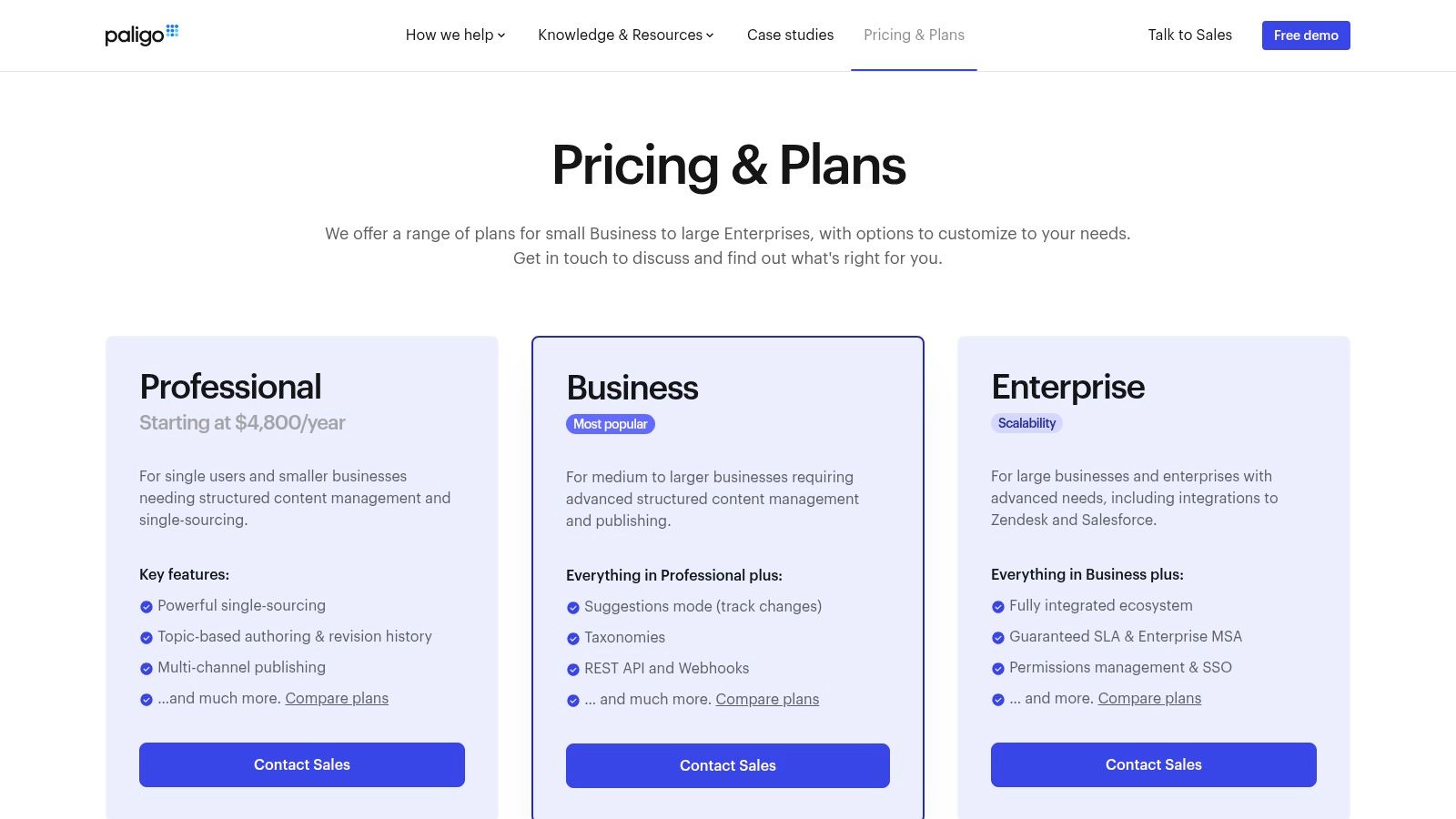
The platform shines in collaborative environments, offering robust workflows for review, approval, and translation management directly within its browser-based interface. Its taxonomy-driven system ensures content is organized and easily discoverable, which is critical for scaling documentation. For teams needing to integrate documentation into broader business systems, Paligo provides a REST API, webhooks, and pre-built integrations with platforms like Zendesk and Salesforce, enabling seamless content delivery.
Key Considerations & Pricing
While Paligo’s structured approach is highly efficient, it requires significant process discipline and a shift in mindset from traditional document-based writing to fully realize its benefits. The initial setup and migration can be more involved than with simpler wiki-style tools.
- Best For: Scalable tech companies and enterprises that need to manage complex, multi-language documentation with a focus on maximum content reuse and process governance.
- Pros: Excellent model for content reuse and component management, powerful cloud-based collaboration, and strong integration capabilities.
- Cons: Requires a disciplined approach to structured authoring and is priced higher than lightweight wiki tools.
Paligo offers several subscription tiers (Professional, Business, Enterprise) with pricing available upon request. A demo can be scheduled to explore its features.
Website: https://paligo.net/pricing/?utm_source=openai
4. Adobe RoboHelp
Adobe RoboHelp is a veteran help authoring tool (HAT) and a strong contender among the best tools for technical documentation, especially for creating modern help systems, policies, and knowledge bases. It empowers authors to generate responsive HTML5, PDF, and mobile app outputs from a single source project. Its visual CSS editor and skin customization options provide significant control over the look and feel of the final documentation, ensuring brand consistency across all outputs.
The platform is designed to produce next-generation dynamic content with features like microcontent support, which helps in delivering context-sensitive help and feeding chatbots. RoboHelp also integrates with other Adobe products like FrameMaker for more complex, structured authoring workflows. For teams, its collaboration features allow for seamless review cycles, making it easier to gather feedback and track changes within the authoring environment.
Key Considerations & Pricing
While powerful, unlocking RoboHelp's full collaborative potential often requires the separate Adobe RoboHelp Server product for publishing and analytics. The platform's subscription-based model, typical of Adobe products, can also present licensing complexities for larger teams, though it is widely available through US resellers.
- Best For: Teams creating polished online help centers, internal knowledge bases, and policy manuals with a focus on modern, responsive design.
- Pros: Advanced CSS and skin editor for high customization, familiar interface for long-time technical writers, and strong integration with the Adobe ecosystem.
- Cons: Team collaboration and analytics features require a separate server product, and Adobe's licensing model can be complex.
Adobe RoboHelp is available through a subscription model, with pricing details and a free trial accessible on their website.
Website: https://www.adobe.com/ee/products/robohelp/buying-guide.html?utm_source=openai
5. ClickHelp
ClickHelp is a modern, browser-based solution that stands out as one of the best tools for technical documentation for teams seeking a fast, all-in-one authoring and hosting platform. It operates entirely as a SaaS (Software as a Service) tool, which means there's no software to install, and your documentation portal is hosted for you. This approach significantly simplifies deployment and maintenance, allowing writers to focus purely on content creation through its intuitive WYSIWYG or Markdown editors.
The platform is built for collaborative, agile environments, offering features like review workflows, commenting, and robust user permissions. Its single-sourcing capabilities allow you to publish content to multiple outputs, including dynamic online help portals, PDF documents, and knowledge bases. What makes ClickHelp particularly interesting are its optional AI add-ons, which provide authoring assistance and power a customer-facing answer bot, helping to deflect support tickets by providing instant answers from your documentation.
Key Considerations & Pricing
ClickHelp's strength is its accessibility and speed-to-market for creating professional-looking help sites. While it supports structured authoring, it's less suited for teams with strict, deep-rooted XML or DITA workflows, as its primary environment is more flexible and web-oriented. Integrations via its REST API and Zapier connect it to broader business ecosystems.
- Best For: Agile software teams and companies needing a ready-to-use, hosted platform for online help, knowledge bases, and user manuals.
- Pros: Rapid deployment with included hosting, flexible authoring environment (WYSIWYG/Markdown), and optional AI features to enhance user self-service.
- Cons: Add-on costs for features like AI can accumulate, and it's less ideal for complex, DITA-based enterprise documentation.
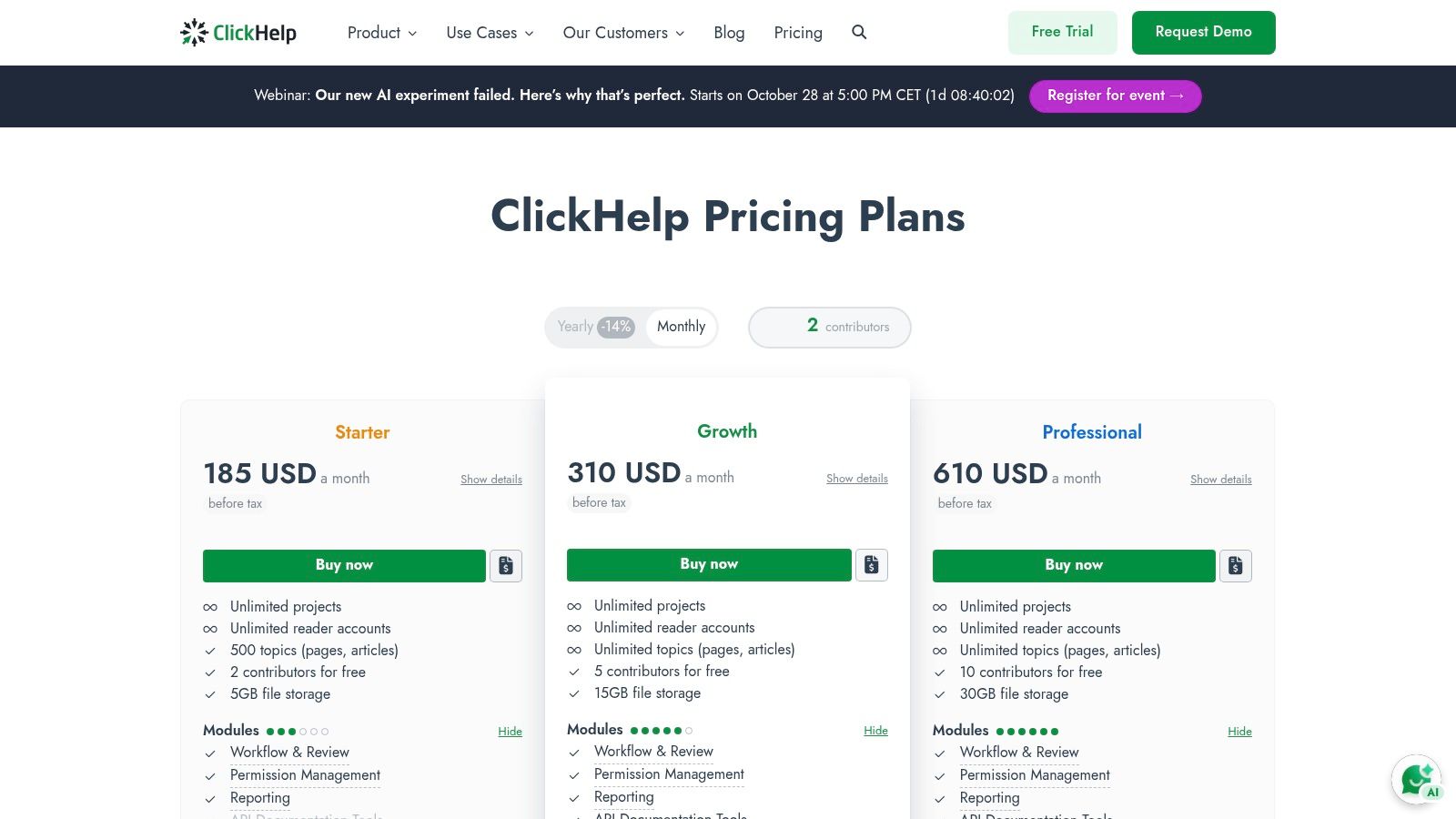
ClickHelp offers tiered subscription plans starting from $175 per month (billed annually) for a single author. A free trial is available to explore its features.
Website: https://clickhelp.com/online-documentation-tool-pricing/?utm_source=openai
6. Document360
Document360 is a modern SaaS knowledge base platform that serves as one of the best tools for technical documentation for both internal and external audiences. It excels at creating user-friendly help centers, product guides, and internal wikis with a strong emphasis on content management and analytics. The platform is designed for teams that need robust editorial workflows, allowing writers, editors, and subject matter experts to collaborate efficiently within a structured process.
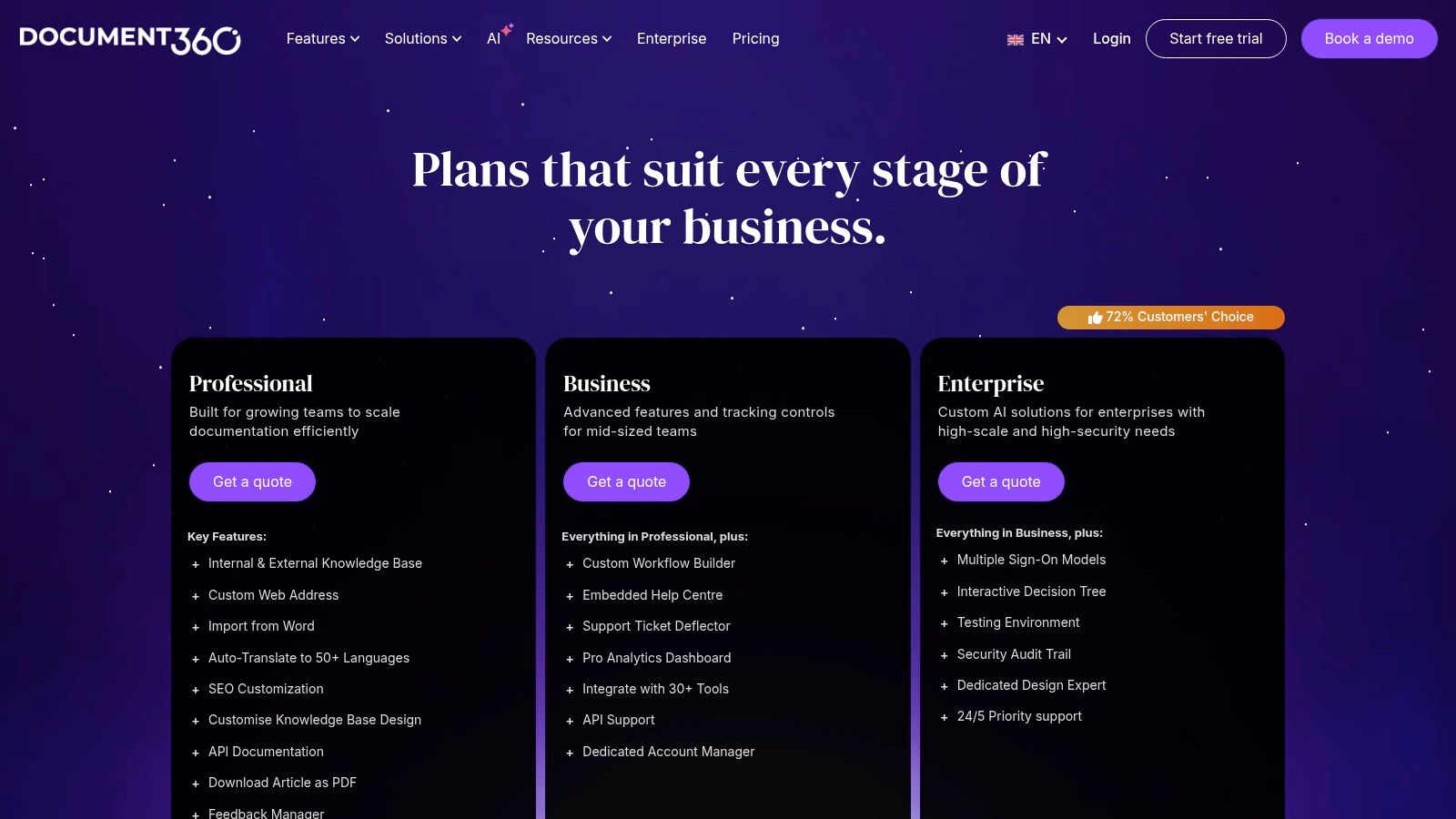
Its strength lies in providing a comprehensive, all-in-one solution that includes a powerful search function, detailed analytics on article performance, and valuable user feedback mechanisms. Document360 also offers the flexibility to manage public and private documentation projects from a single portal. The recent introduction of AI-powered tools for writing assistance and generating step-by-step guides further enhances its appeal for teams looking to streamline content creation and improve user self-service.
Key Considerations & Pricing
While Document360 is incredibly user-friendly with a clean interface, its focus is more on knowledge base creation than on highly technical, code-centric documentation like API references. It's an excellent choice for user guides and support content but might be less suitable for teams needing deep integration with developer workflows.
- Best For: SaaS companies and support teams creating polished public-facing help centers or extensive internal knowledge bases.
- Pros: Excellent editorial workflow and collaboration features, strong analytics and user feedback tools, and a broad, all-in-one feature set.
- Cons: Pricing is primarily quote-based, and it's less tailored for deep, developer-focused documentation compared to docs-as-code tools.
Document360 provides custom pricing based on team size and feature requirements, available upon request. A free trial is offered to explore the platform.
Website: https://document360.com/pricing/
7. Atlassian Confluence
Atlassian Confluence has become a de facto standard for internal knowledge management, making it one of the best tools for technical documentation within an organization. It functions as a collaborative team workspace where engineers, product managers, and technical writers can create, share, and iterate on documents like runbooks, project plans, and API guides. Its tight integration with the broader Atlassian ecosystem, especially Jira, allows for seamless linking between development tasks and their corresponding documentation.
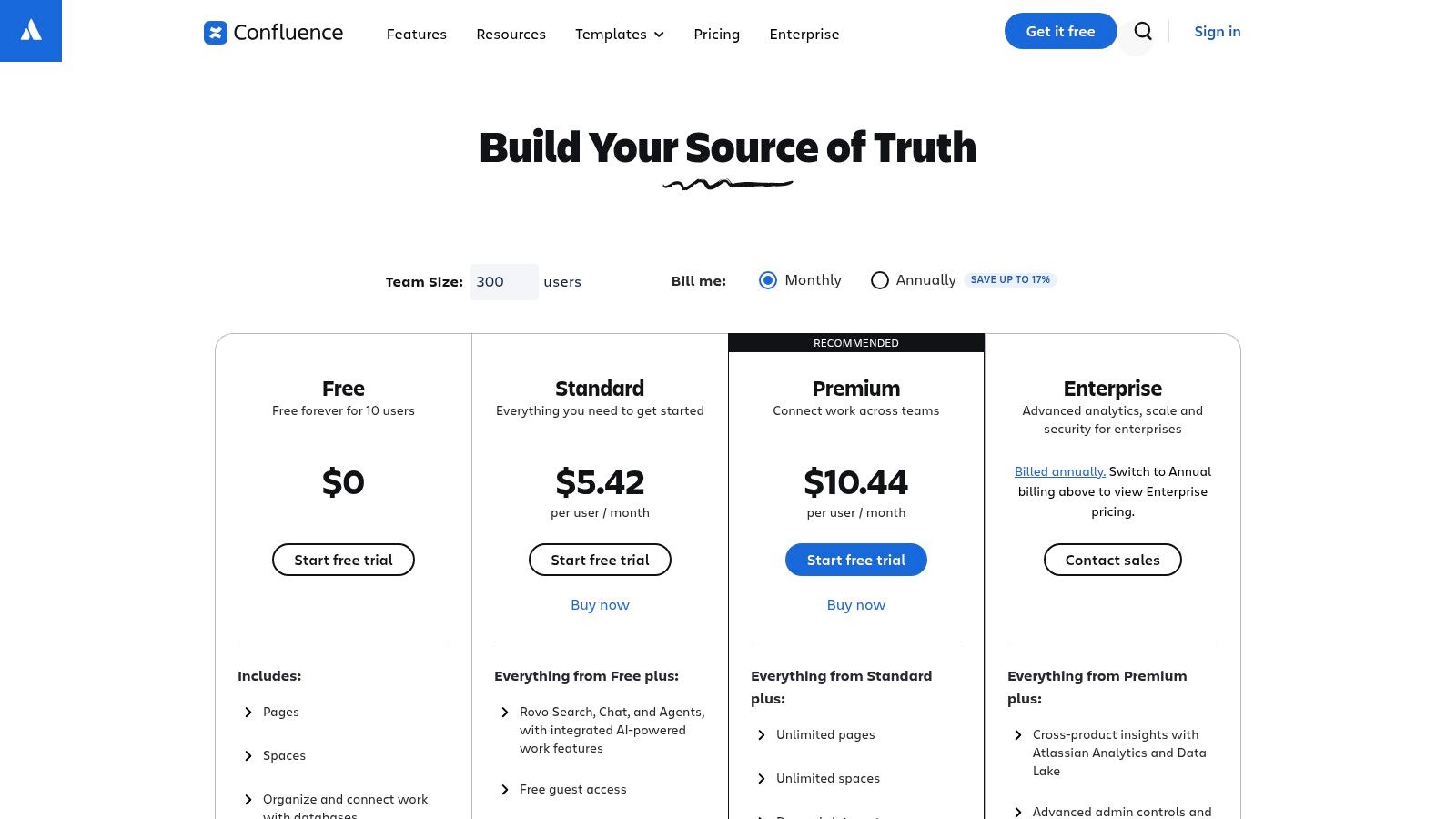
The platform is organized into "Spaces" and "Pages," offering a flexible structure that teams can adapt to their needs. Features like version history, powerful macros for embedding content, and granular permissions make it suitable for managing sensitive internal information. The rich text editor is intuitive for non-technical contributors, while the ability to add code blocks and diagrams serves developer needs. The Atlassian Marketplace further extends its capabilities with hundreds of apps for everything from advanced diagramming to creating public-facing help centers.
Key Considerations & Pricing
While excellent for collaboration and internal documentation, Confluence can feel less suited for creating polished, public-facing developer portals without significant customization or Marketplace add-ons. Without strong governance, content can become disorganized and difficult to navigate over time, a common challenge known as "Confluence sprawl."
- Best For: Engineering and product teams needing a centralized, collaborative wiki for internal documentation that integrates with their development workflows.
- Pros: Deep integration with Jira, easy for cross-functional teams to use, and highly extensible through the Atlassian Marketplace.
- Cons: Can become disorganized without proper governance, and not optimized for external-facing documentation out of the box.
Confluence offers a free tier for up to 10 users. Paid plans start at $6.05 per user/month for Standard and scale to Premium and Enterprise tiers with more advanced features and support.
Website: https://www.atlassian.com/software/confluence/pricing?utm_source=openai
8. GitBook
GitBook stands out as one of the best tools for technical documentation for teams that prioritize speed, collaboration, and a modern user experience. It offers a hosted platform with a clean, block-based editor that feels more like a collaborative word processor than a traditional documentation tool. Its core strength lies in its seamless integration with Git workflows, allowing developers and writers to sync content directly from GitHub or GitLab repositories.
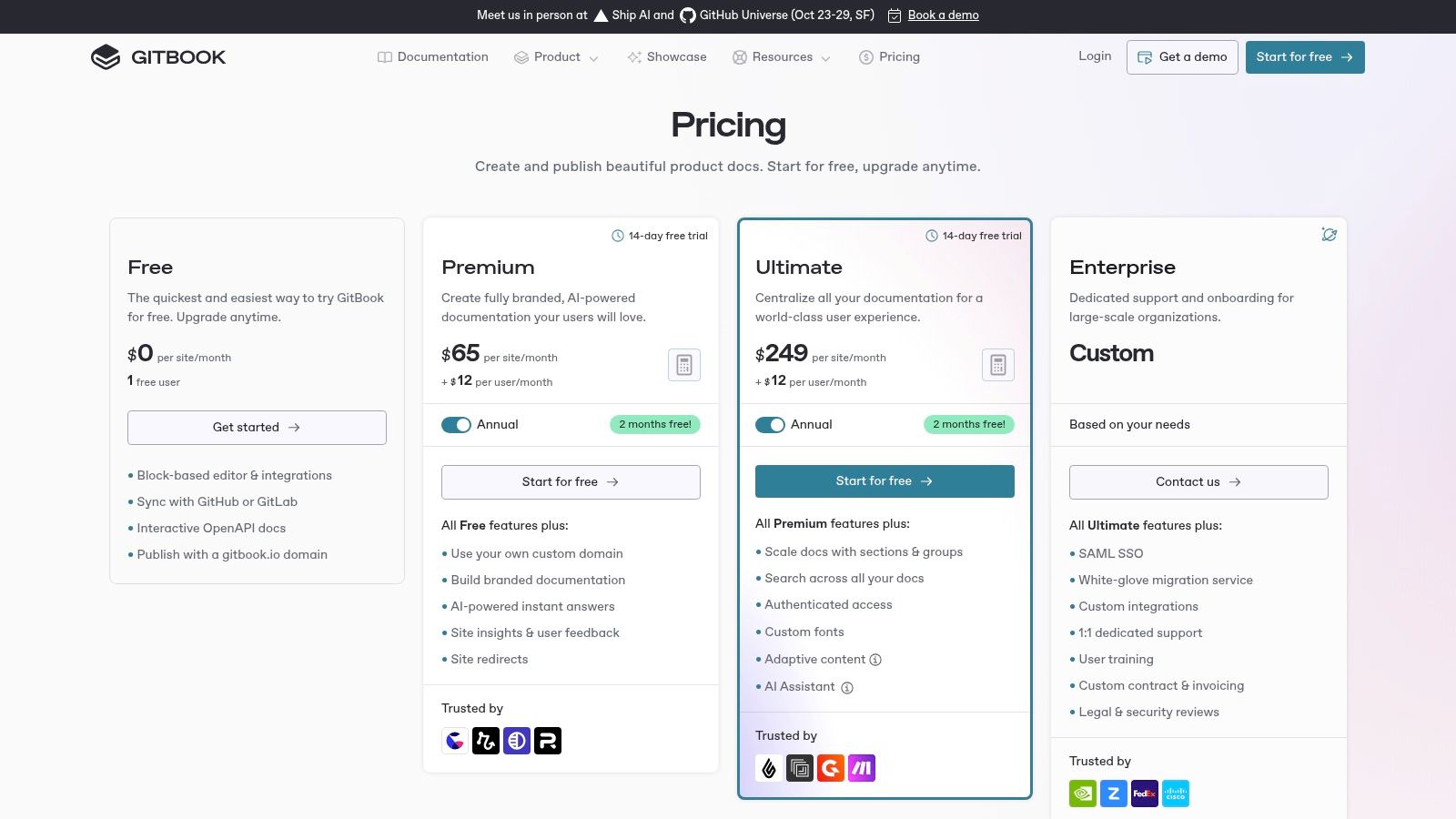
The platform is particularly effective for creating public-facing product docs, internal knowledge bases, and API references. Features like native OpenAPI rendering create interactive API playgrounds automatically, while its AI-powered search provides instant, accurate answers to user queries directly within the documentation. This combination of powerful features and a polished interface makes publishing beautiful, functional documentation incredibly fast.
Key Considerations & Pricing
GitBook is designed for simplicity and rapid deployment, which means it offers less granular control over site structure and theming compared to open-source static site generators. The platform's per-user and per-site pricing model can also become costly for large teams or companies managing many distinct documentation sites.
- Best For: Startups and product teams needing to publish polished, searchable documentation quickly with minimal setup.
- Pros: Extremely user-friendly editor, excellent Git integration, and a simple pricing structure with a free tier.
- Cons: Per-user pricing can scale costs, and it offers less deep customization than self-hosted solutions.
GitBook offers a free plan for open-source projects and small teams. Paid plans start at $6.40 per user/month, with custom pricing available for enterprise needs.
Website: https://www.gitbook.com/pricing?utm_source=openai
9. ReadMe
ReadMe is a dedicated developer hub platform that excels at creating interactive and user-friendly API documentation. It is one of the best tools for technical documentation for companies prioritizing the developer experience, combining automatically generated API references from OpenAPI/Swagger files with traditional guides and tutorials. This turnkey solution allows developers to not only read documentation but also make live API calls directly from the browser, significantly lowering the barrier to entry for adopting a new API.
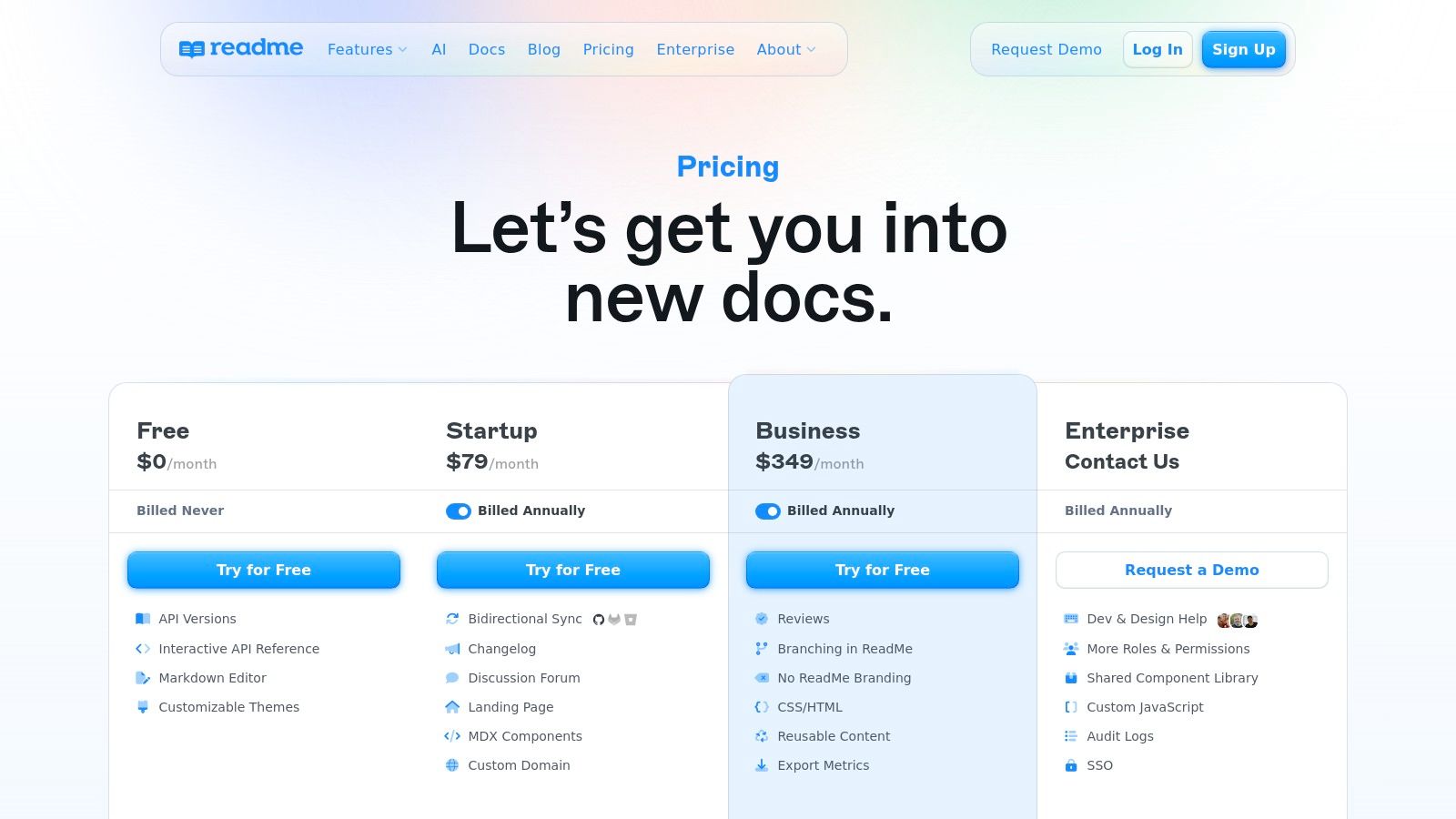
The platform is built to foster a community around your API. Features like a changelog, suggested edits, and discussion forums are integrated directly into the documentation, encouraging developer feedback and engagement. ReadMe also provides valuable analytics on how developers are using the API and the documentation, offering insights to improve both the product and the user guides. Its optional AI agent, "Owlbot AI," can answer developer questions based on your documentation content.
Key Considerations & Pricing
ReadMe’s strength is its focused, API-centric approach, which may be less suitable for general product or internal knowledge base documentation. While its authoring experience is modern and collaborative, the pricing structure can be a significant jump between tiers for growing teams, and many advanced features are reserved for the Enterprise plan.
- Best For: SaaS companies and API-first businesses that need to provide a polished, interactive, and community-driven developer hub.
- Pros: Excellent interactive API reference generation, built-in analytics for user engagement, and a great developer-focused user experience.
- Cons: Pricing can escalate quickly, and it is less flexible for non-API documentation needs.
ReadMe offers a free plan for personal projects, with paid plans starting at $99 per project per month for small teams. Business and Enterprise tiers provide advanced features with custom pricing.
Website: https://readme.com/pricing/?utm_source=openai
10. Redocly
Redocly stands out as one of the best tools for technical documentation specifically designed for API-first companies. It provides a comprehensive developer portal solution built around its popular open-source API reference documentation engine, Redoc. The platform modularly combines API reference (Redoc), content authoring (Revel), and an API catalog (Reef) into a unified, professional-looking hub, making it perfect for organizations that need to present their APIs as a core product.
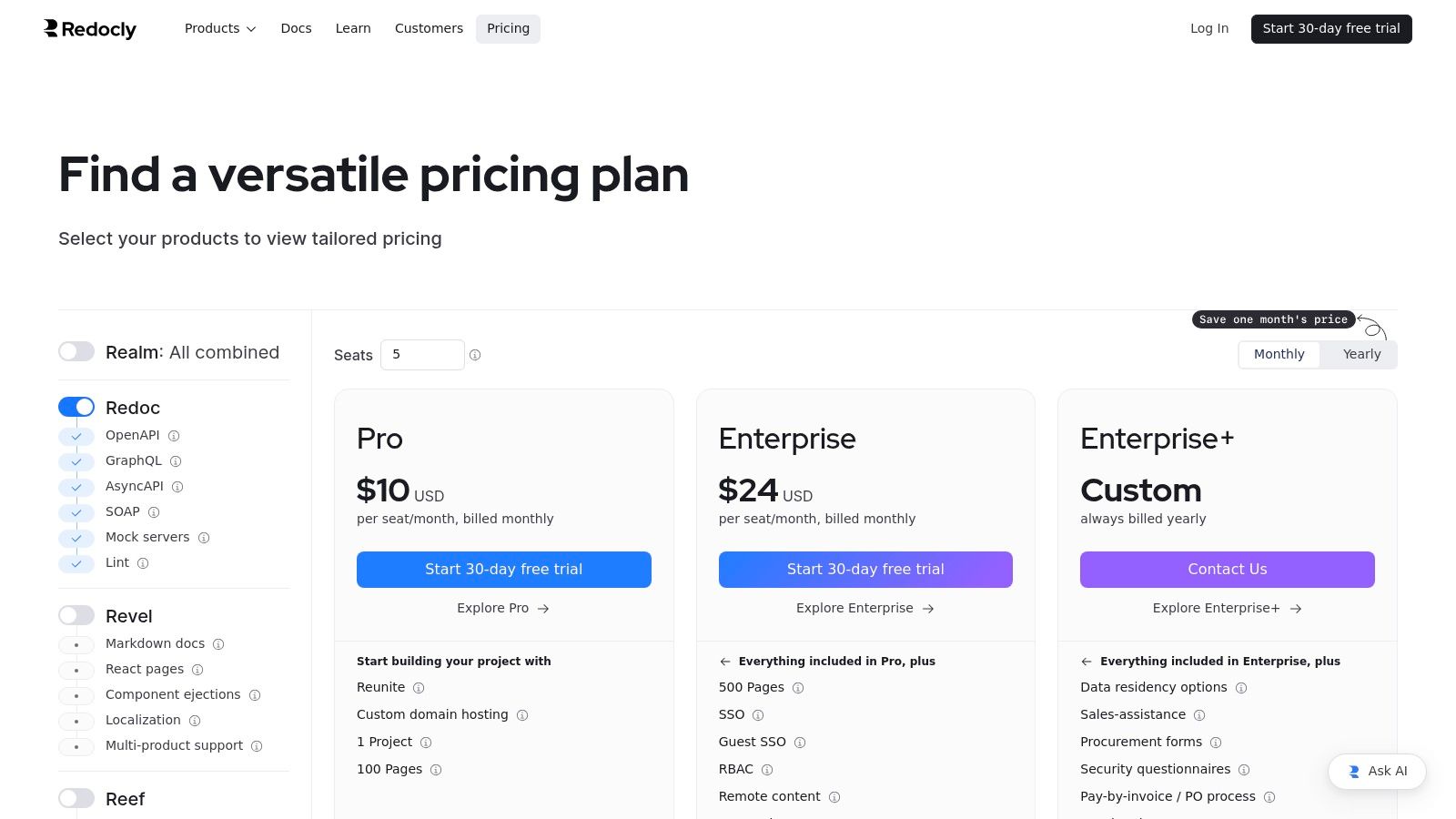
The platform is built to scale, offering robust features like custom domain hosting, detailed analytics, single sign-on (SSO), and role-based access control (RBAC). Redocly’s primary strength is its ability to create a polished, interactive, and easy-to-navigate experience for developers consuming your APIs. It transforms standard OpenAPI specifications into a three-panel, user-friendly interface that simplifies exploration and testing.
Key Considerations & Pricing
While Redocly excels at API documentation, its specialized focus means it's less suitable for general-purpose knowledge bases or internal user guides. The platform's structure and feature set are optimized for documenting endpoints, schemas, and API-related tutorials, not for broader technical content.
- Best For: API-centric companies needing to build a scalable, secure, and professional developer portal.
- Pros: Excellent for API reference generation, modular architecture, and strong enterprise security features like SSO and RBAC.
- Cons: Niche focus on APIs makes it less versatile for other documentation types; seat-based pricing and page limits on lower tiers can be restrictive.
Redocly offers several paid tiers, starting with the "Startup" plan and scaling to custom "Enterprise" solutions. A free plan is available for personal projects and open-source teams.
Website: https://redocly.com/pricing/?utm_source=openai
11. Docusaurus
Docusaurus is a modern open-source static site generator and an excellent choice among the best tools for technical documentation, especially for developer-focused products. Built by Meta using React, it allows teams to create fast, beautiful, and content-rich documentation sites primarily using Markdown (MDX). It is purpose-built for docs and comes with features like versioning, internationalization (i18n), and powerful search integrations with Algolia out of the box.
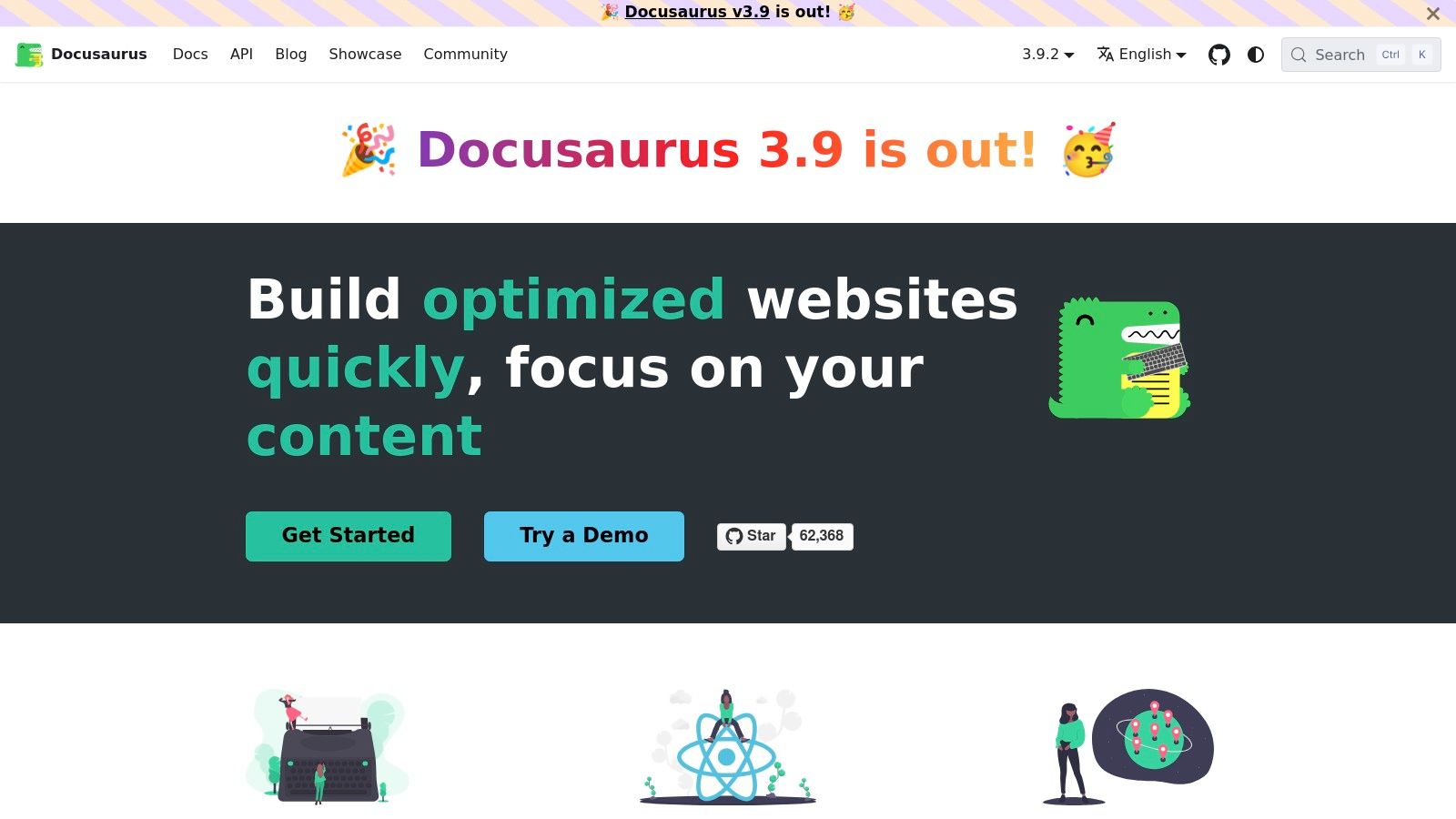
The platform shines in creating interactive documentation by allowing developers to embed React components directly into Markdown files. This makes it perfect for showcasing live code examples or interactive UI components. Since Docusaurus is Git-based, it integrates seamlessly into existing CI/CD pipelines, enabling automated builds and deployments on platforms like Netlify, Vercel, or GitHub Pages. This gives teams complete control over their content, infrastructure, and release process.
Key Considerations & Pricing
While highly flexible, Docusaurus requires some familiarity with front-end development, particularly React, to unlock its full customization potential. As an open-source tool, you are responsible for hosting and maintaining the build and deployment pipelines, which adds an operational overhead not present in SaaS tools.
- Best For: Developer tool companies and open-source projects that need a highly customizable, code-centric documentation site with a modern look and feel.
- Pros: No vendor lock-in and completely free, excellent for interactive code examples and component demos, and integrates into Git-based workflows.
- Cons: Requires front-end and React knowledge to extend and customize, and teams must self-host and manage their own deployment infrastructure.
Docusaurus is completely free and open-source (MIT licensed), with no associated software costs. Your only expenses will be related to hosting your documentation site.
Website: https://docusaurus.io/?utm_source=openai
12. Read the Docs
Read the Docs is a cornerstone in the open-source community, widely recognized as one of the best tools for technical documentation hosting. It simplifies publishing for developers by automatically building, versioning, and hosting documentation from repositories on Git, GitHub, and Bitbucket. The platform is purpose-built to integrate seamlessly with popular documentation generators like Sphinx, MkDocs, and Jupyter Book, making it the default choice for countless code-centric projects.
Its core value lies in its automation. By linking a repository, Read the Docs watches for commits and automatically triggers a build, ensuring the public documentation is always synchronized with the codebase. This "docs-as-code" workflow allows developers and writers to manage documentation using the same version control tools they use for software development, streamlining the entire process from creation to publication.
Key Considerations & Pricing
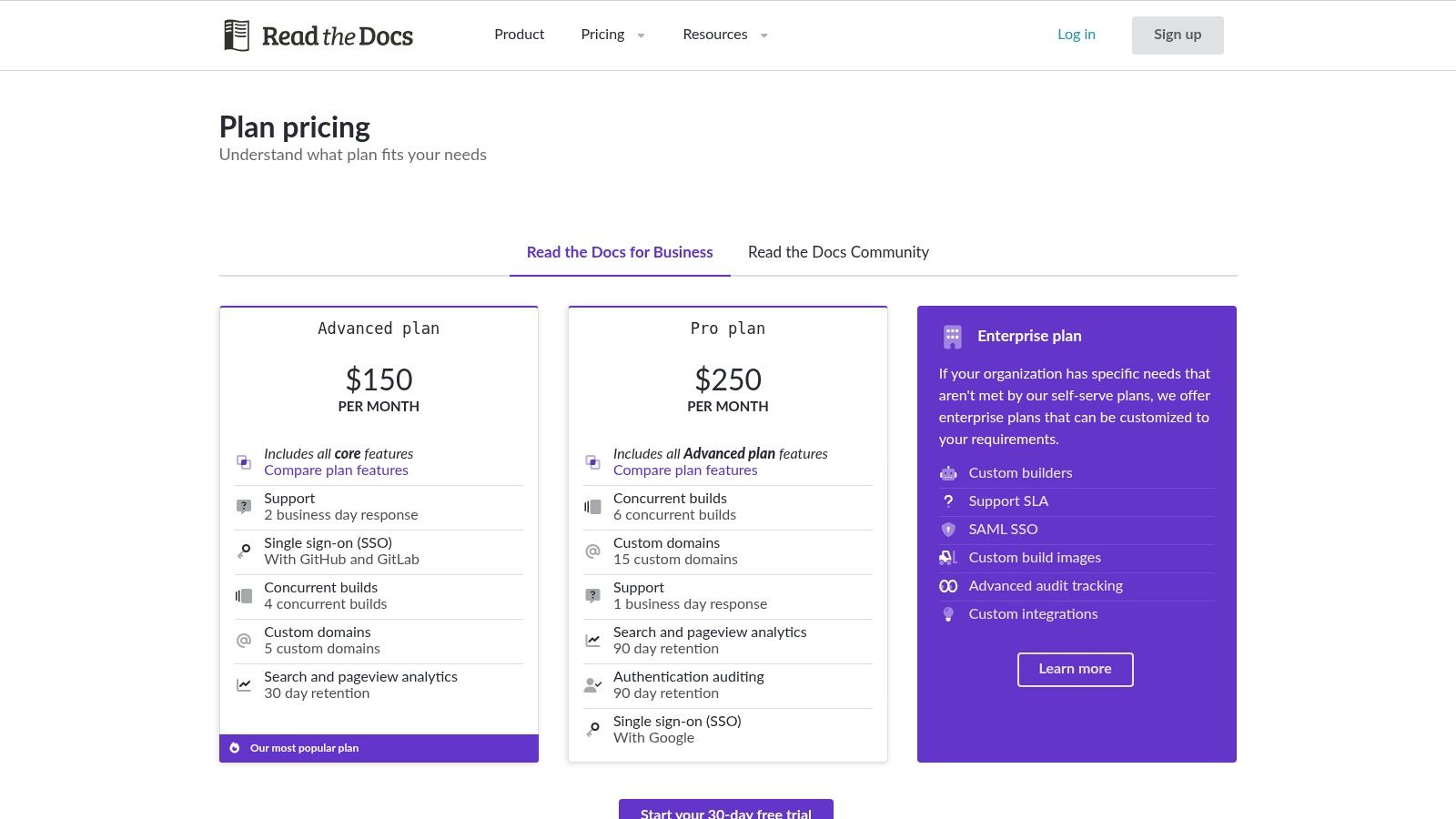
While its free offering for open-source projects is incredibly generous, businesses requiring private repositories, custom domains, or enhanced security features must opt for the paid Business plans. The platform's strength is in its code-first approach, which may feel less intuitive for writers accustomed to WYSIWYG editors.
- Best For: Open-source projects and development teams practicing a "docs-as-code" methodology.
- Pros: Excellent free tier for public projects, tight integration with Sphinx and MkDocs, and fully automated builds from Git.
- Cons: Lacks a visual editor and requires a paid plan for private or commercial documentation.
Read the Docs for Business offers several paid tiers, starting from a plan for small teams and scaling up to Enterprise solutions with features like SSO, advanced analytics, and dedicated support.
Website: https://about.readthedocs.com/pricing/?utm_source=openai
Top 12 Technical Documentation Tools Comparison
| Product | Core features | UX / Quality ★ | Price / Value 💰 | Target audience 👥 | Unique selling points ✨ |
|---|---|---|---|---|---|
| GrabShot.io 🏆 | Capture/upload → AI beautify → OCR redaction; templates; padding/corners/shadows | ★4.9/5 (1.2k+ users) | 💰 Free (5/mo) · Pro $9/mo — unlimited, OCR, priority | 👥 Creators, designers, marketers, devs, support | ✨ Automatic AI styling, built‑in OCR redaction, platform presets, shareable history |
| MadCap Flare | Topic-based authoring, multi-output (HTML5/PDF/CHM), advanced reuse | ★ Enterprise-proven | 💰 Commercial licenses; enterprise/on‑prem | 👥 Technical writers, regulated industries | ✨ Robust reuse & localization for large-scale publishing |
| Paligo | Cloud CCMS: single-sourcing, versioning, translation workflows, API | ★ Strong CCMS UX | 💰 Higher-tier CCMS pricing | 👥 Docs teams standardizing on structured authoring | ✨ Taxonomy-driven reuse, translations, REST API/webhooks |
| Adobe RoboHelp | Responsive HTML5, CSS/skin editor, FrameMaker & server integrations | ★ Familiar to many writers | 💰 Adobe subscription / reseller pricing | 👥 Technical writers, enterprise publishers | ✨ Deep styling, Adobe ecosystem integration |
| ClickHelp | WYSIWYG & Markdown editor, portal hosting, SSO/API, optional AI | ★ Quick to deploy | 💰 SaaS tiers + add-ons (costs can add up) | 👥 Teams needing hosted portals & easy publishing | ✨ Hosted portals, optional AI authoring/answer bots |
| Document360 | Knowledge base, workflows, analytics, AI writing/search tools | ★ Strong editorial UX | 💰 Quote-based / enterprise plans | 👥 Product/docs teams, enterprises | ✨ Built-in analytics, workflow builder, private/public projects |
| Atlassian Confluence | Wiki pages/spaces, macros, permissions, Jira integration | ★ Familiar & collaborative | 💰 Per-user pricing | 👥 Engineering/internal teams | ✨ Tight Jira/Atlassian ecosystem, granular access controls |
| GitBook | Block editor, GitHub/GitLab sync, OpenAPI rendering, AI search | ★ Fast & polished | 💰 Simple tiers; free for small teams | 👥 Product teams, API & product docs | ✨ Git sync + interactive API playground and AI search |
| ReadMe | OpenAPI interactive reference, guides, analytics, dashboards | ★ Developer-focused | 💰 Tiered pricing — scales with usage | 👥 API-first product teams | ✨ Interactive API hub, built-in analytics & developer UX |
| Redocly | Redoc reference, Revel content, Reef API catalog, hosting & security | ★ Strong for API programs | 💰 Seat-based; page limits on low tiers | 👥 API platform teams, enterprises | ✨ Modular API tooling, governance & enterprise security |
| Docusaurus | React-based static site (MDX), versioning, i18n, theming/plugins | ★ Highly customizable (devs) | 💰 Free OSS; self-host costs | 👥 Developer teams wanting control & theming | ✨ No vendor lock-in, deep React theming & plugin ecosystem |
| Read the Docs | Automated builds (Sphinx/MkDocs), versioning, hosted search | ★ Excellent for OSS projects | 💰 Free for open-source; Business for private | 👥 Open-source projects, code-centric docs | ✨ Free OSS hosting, automated builds and versioning |
Final Thoughts
Navigating the landscape of technical documentation tools can feel overwhelming. We've explored a wide spectrum, from comprehensive help authoring tools like MadCap Flare and Paligo to developer-centric, docs-as-code platforms like GitBook and Docusaurus. Each tool carves out its own niche, serving different teams, workflows, and end-user expectations. The journey to finding the perfect fit isn't about identifying a single "best" tool, but rather the one that aligns most effectively with your unique operational needs.
The core takeaway from our deep dive is that the choice of a documentation tool is a strategic decision that directly impacts product adoption, developer experience, and customer support efficiency. There is no one-size-fits-all solution. A startup building an API for developers will have vastly different requirements than a large enterprise creating a multilingual knowledge base for a complex software suite.
How to Choose Your Ideal Documentation Tool
To move from analysis to action, your selection process should be guided by a clear understanding of your organization's specific context. Don't get distracted by a long list of features you'll never use. Instead, focus on the factors that will genuinely move the needle for your team and your audience.
Here is a practical framework to guide your decision-making process:
- Define Your Primary Audience: Are you writing for internal developers, external API consumers, or non-technical end-users? The answer dictates everything from content structure to the user interface. Developer-focused tools like ReadMe and Redocly excel at API reference documentation, while platforms like Document360 or Confluence are better suited for broader knowledge bases.
- Assess Your Team's Skill Set: Does your team live in code editors and feel comfortable with Git workflows? If so, docs-as-code solutions like Docusaurus or Read the Docs offer unparalleled power and integration. If your writers prefer a WYSIWYG editor and a more traditional content management workflow, tools like ClickHelp or Adobe RoboHelp will be a much better fit.
- Evaluate Your Existing Tech Stack: The best tools for technical documentation are those that integrate seamlessly into your current environment. Consider how a new platform will connect with your version control system (like Git), project management software (like Jira), and CI/CD pipelines. This integration is crucial for automating documentation updates and maintaining a single source of truth.
- Consider Scalability and Future Needs: Think beyond your immediate requirements. Will you need to support multiple product versions, translate content into different languages, or implement granular access controls in the future? Enterprise-grade solutions like Paligo and MadCap Flare are built for this kind of complexity, offering robust content reuse and localization features that can save immense effort down the line.
Implementation: The Key to Success
Remember, selecting a tool is only the first step. Successful implementation requires a thoughtful strategy. Plan for content migration, establish clear style guides and writing workflows, and invest in training your team. A powerful tool in untrained hands is ineffective. The true value is unlocked when the platform becomes an invisible, efficient part of your content creation process, empowering your team to produce clear, accurate, and helpful documentation.
Ultimately, the best tools for technical documentation act as a bridge between your product and your users. They transform complex information into an accessible resource that fosters understanding, builds trust, and drives success. By carefully considering your audience, team, and technical ecosystem, you can select a platform that not only meets your needs today but also grows with you tomorrow.
Creating exceptional documentation often requires more than just text. To truly clarify complex processes and user interfaces, high-quality visuals are essential. GrabShot.io is the perfect companion to any documentation platform, allowing you to instantly create, annotate, and share crystal-clear screenshots and screen recordings. Elevate your technical guides from good to great by integrating powerful visual aids with GrabShot.io.