
While your Android’s built-in screenshot function handles the basics, it often falls short for more complex or professional tasks. For marketing managers capturing social media threads, QA engineers documenting bugs, or content creators saving long articles, the standard tool lacks the necessary power and flexibility. This is where a dedicated screenshot app android free becomes an essential part of your workflow, transforming a simple capture into a powerful communication and documentation tool.
This comprehensive guide cuts through the clutter to help you find the perfect application for your specific needs. We move beyond generic feature lists to provide in-depth analysis, practical use-case scenarios, and an honest look at the limitations of the top contenders available today. Each review includes key feature breakdowns, real-world performance insights, and direct links to get you started immediately.
Whether you need to capture scrolling webpages, precisely annotate technical issues, or simply keep your screenshots organized and private, this list has a solution. We will explore everything from feature-rich editors like ScreenMaster to specialized tools for long captures like LongShot and privacy-centric options such as Private Screenshots. By the end, you'll have a clear understanding of which free app will best enhance your productivity.
1. Google Play – Screenshot Easy (Ice Cold Apps)
Screenshot Easy by Ice Cold Apps is a veteran in the Android screenshot utility space, earning its top spot through sheer reliability and a feature-rich, all-in-one approach. It’s an ideal screenshot app android free for users who need more capture flexibility than the native OS provides. The app's standout feature is its vast array of capture triggers, allowing you to take a screenshot using an overlay button, a notification bar toggle, shaking your device, or even using specific hardware key combinations.
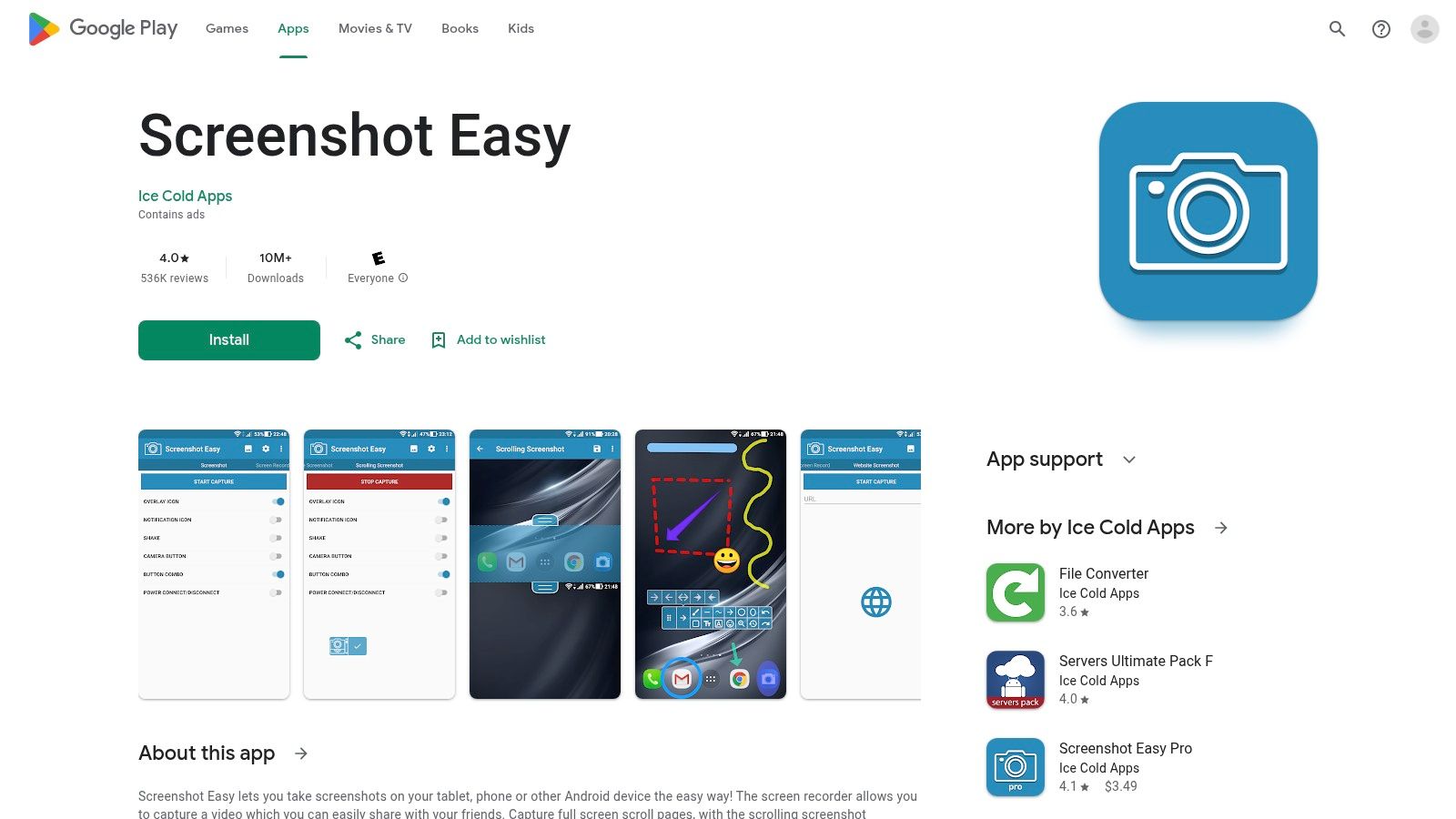
Beyond simple captures, Screenshot Easy integrates a capable editor for quick modifications. You can crop, draw, add text, or use a mosaic tool to blur sensitive information directly after taking a shot, which is perfect for support teams or content creators needing to make quick annotations. It even includes scrolling capture for webpages and a basic screen recorder, making it a true multitasking tool.
The app is free to download and use, supported by ads. For those who want an ad-free experience, a Pro version is available as an in-app purchase. The utilitarian user interface feels a bit dated but is straightforward and functional. While most features work universally, some, like specific triggers, may vary depending on your Android version and device manufacturer.
Key Features & Assessment
| Feature | Details | Rating |
|---|---|---|
| Capture Triggers | Overlay button, notification toggle, shake, hardware combos. Extremely flexible. | ★★★★★ |
| Editing Tools | Crop, draw, text, mosaic blur, and other basic annotations. | ★★★★☆ |
| Scrolling Capture | Captures long webpages or app content. Reliability can vary by device. | ★★★☆☆ |
| Screen Recording | Basic video capture with simple trim functionality included. | ★★★☆☆ |
Website: https://play.google.com/store/apps/details?id=com.icecoldapps.screenshoteasy
2. Google Play – Screenshot touch (by Daejeong Kim/Kimcy929)
Screenshot touch by Daejeong Kim is another powerful and highly-rated screenshot app android free that excels in providing intuitive, on-screen controls for captures. Its core strength lies in its non-intrusive floating button, which allows users to snap a screenshot with a single tap without needing to fumble with hardware keys. This makes it an excellent choice for gamers, app testers, or anyone needing to perform rapid, successive captures. The persistent notification control offers another quick-access capture method.
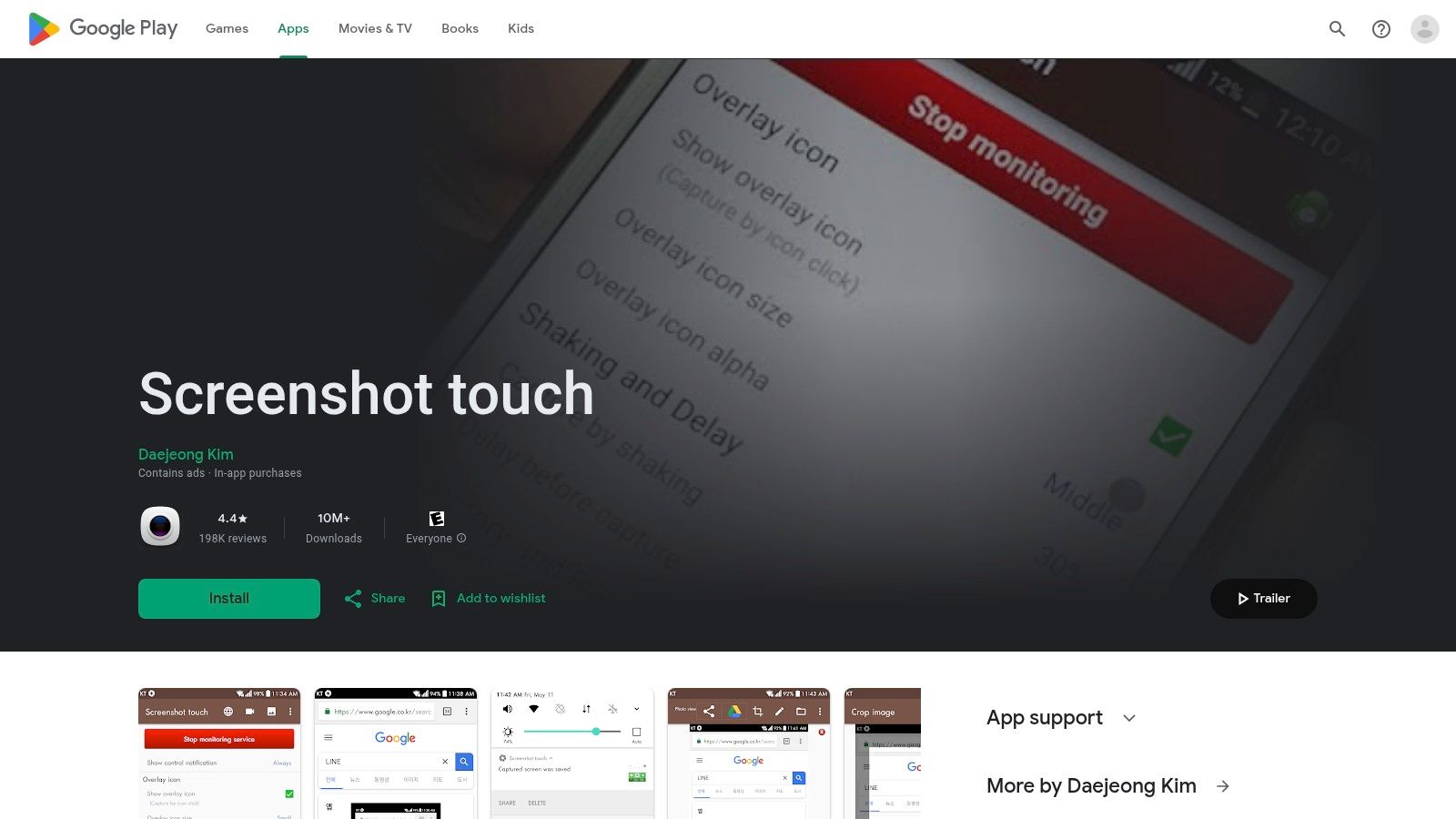
Beyond its convenient triggers, Screenshot touch integrates robust tools for more complex tasks. It features an in-app browser specifically for capturing full-length webpages and a clever image-stitching feature to manually combine multiple screenshots into one long image. Its built-in editor provides all the essential annotation tools like cropping, drawing, and adding text, making it a comprehensive solution for both simple and advanced screenshot needs.
The app is ad-supported but offers its extensive feature set for free. With over 10 million installs, it has proven its reliability across a wide range of Android devices. However, like most apps of its kind, it cannot capture secure content such as banking apps due to Android's security policies, and some users may find the occasional ad or minor UI localization issue distracting.
Key Features & Assessment
| Feature | Details | Rating |
|---|---|---|
| Capture Triggers | Floating overlay button and persistent notification toggle for easy access. | ★★★★★ |
| Editing Tools | Standard crop, draw, and text tools are included for quick annotations. | ★★★★☆ |
| Scrolling Capture | Offers an in-app browser for full website capture and an image stitcher. | ★★★★☆ |
| Screen Recording | Includes video recording capabilities with options for quality and sound. | ★★★☆☆ |
Website: https://play.google.com/store/apps/details?id=com.mdiwebma.screenshot
3. Google Play – ScreenMaster: Screenshot Markup (Blossgraph)
ScreenMaster by Blossgraph has carved out a niche as a powerful screenshot app android free focused on two key areas: superior long/scrolling screenshots and extensive annotation capabilities. It's a top choice for users who need to capture entire chat logs, articles, or social media feeds and then mark them up with detailed notes. The app provides convenient capture triggers like a floating button or shaking the device, ensuring you can snap an image without fumbling with hardware keys.
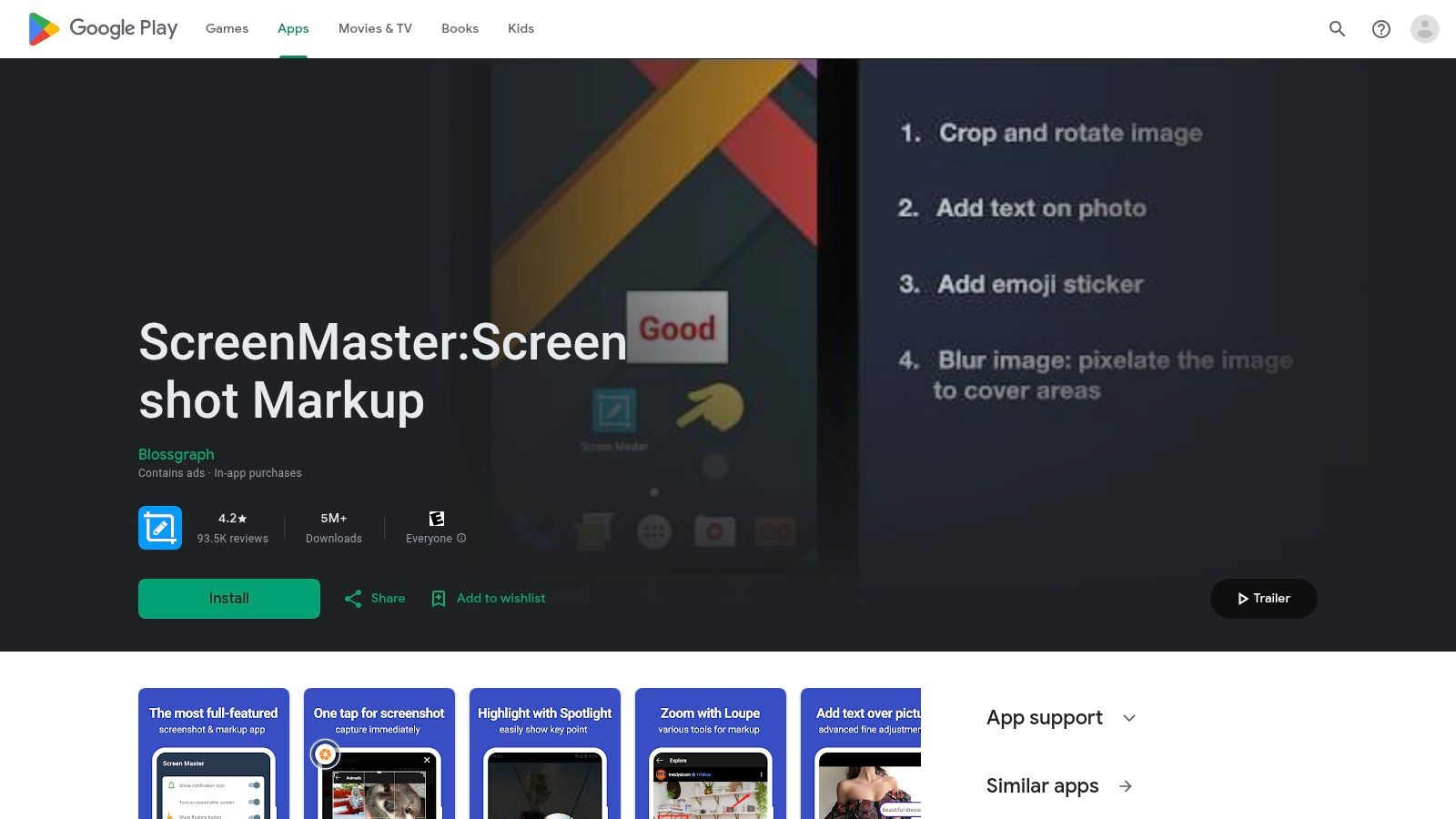
Where ScreenMaster truly excels is its post-capture editor. After taking a screenshot, you can immediately add various shapes, arrows, text with custom colors, and even magnify specific parts of the image for emphasis. Its blur and mosaic tools are perfect for redacting personal information before sharing, a critical feature for support teams and content creators. The app’s ability to reliably stitch multiple shots into a single, seamless long screenshot is a significant advantage over many competitors.
The app is free to use with no root access required, though it is supported by ads. Its clean interface makes navigating the rich feature set relatively easy, but some advanced settings might behave differently based on your specific Android version. For anyone prioritizing markup and scrolling captures, ScreenMaster delivers a professional-grade experience without the price tag.
Key Features & Assessment
| Feature | Details | Rating |
|---|---|---|
| Markup & Annotation | Rich tools: text, shapes, arrows, blur, magnifier. Excellent for detailed edits. | ★★★★★ |
| Scrolling Capture | Reliably captures long content and stitches images together automatically. | ★★★★★ |
| Capture Triggers | Floating button, shake-to-capture, and a Quick Settings tile for easy access. | ★★★★☆ |
| Output Quality | Saves in high-quality PNG format, preserving clarity for annotations. | ★★★★☆ |
Website: https://play.google.com/store/apps/details?id=pro.capture.screenshot
4. Google Play – LongShot for long screenshot (Leav Jenn)
LongShot by Leav Jenn is a specialized tool laser-focused on one thing: creating flawless, long scrolling screenshots. While many all-in-one apps offer this feature, LongShot excels with its dedicated stitching algorithm and intuitive controls, making it the superior screenshot app android free choice for capturing entire chat histories, social media threads, or lengthy articles. Its primary strength lies in its auto-scroll feature, which automatically captures and stitches content together with minimal user intervention.
The app provides a floating button to start and stop the capture, giving you precise control over the content area. After the initial capture, its powerful editor allows for manual, pixel-level adjustments to the stitching points, ensuring a seamless final image where other apps often fail. It even includes a tool to capture an entire webpage just by inputting a URL.
LongShot is entirely free, supported by minimal, non-intrusive ads. Its interface is clean and purpose-built, guiding the user through the capture process. While it hasn't received a major update recently, its core functionality remains robust, though auto-scroll may require granting accessibility permissions on newer Android versions.
Key Features & Assessment
| Feature | Details | Rating |
|---|---|---|
| Scrolling Capture | Dedicated auto-scroll and manual capture for long content. Highly reliable. | ★★★★★ |
| Stitching Editor | Automatic stitching with manual tools for pixel-perfect adjustments. | ★★★★★ |
| Webpage Capture | Built-in tool to capture an entire webpage from a URL. | ★★★★☆ |
| User Interface | Simple, lightweight, and focused on its core task without clutter. | ★★★★☆ |
Website: https://play.google.com/store/apps/details?id=com.leavjenn.longshot
5. Google Play – Private Screenshots (ShamanLand)
Private Screenshots by ShamanLand carves out a unique niche by focusing on one thing: privacy. This screenshot app android free is designed for users who need to capture sensitive information without leaving a trace in their public gallery or triggering detection by other applications. Its primary function is to save screenshots to a secure, private container within the app itself, making them invisible to your standard gallery and file manager apps. This is particularly useful for capturing ephemeral content or private conversations without notifying the other party.
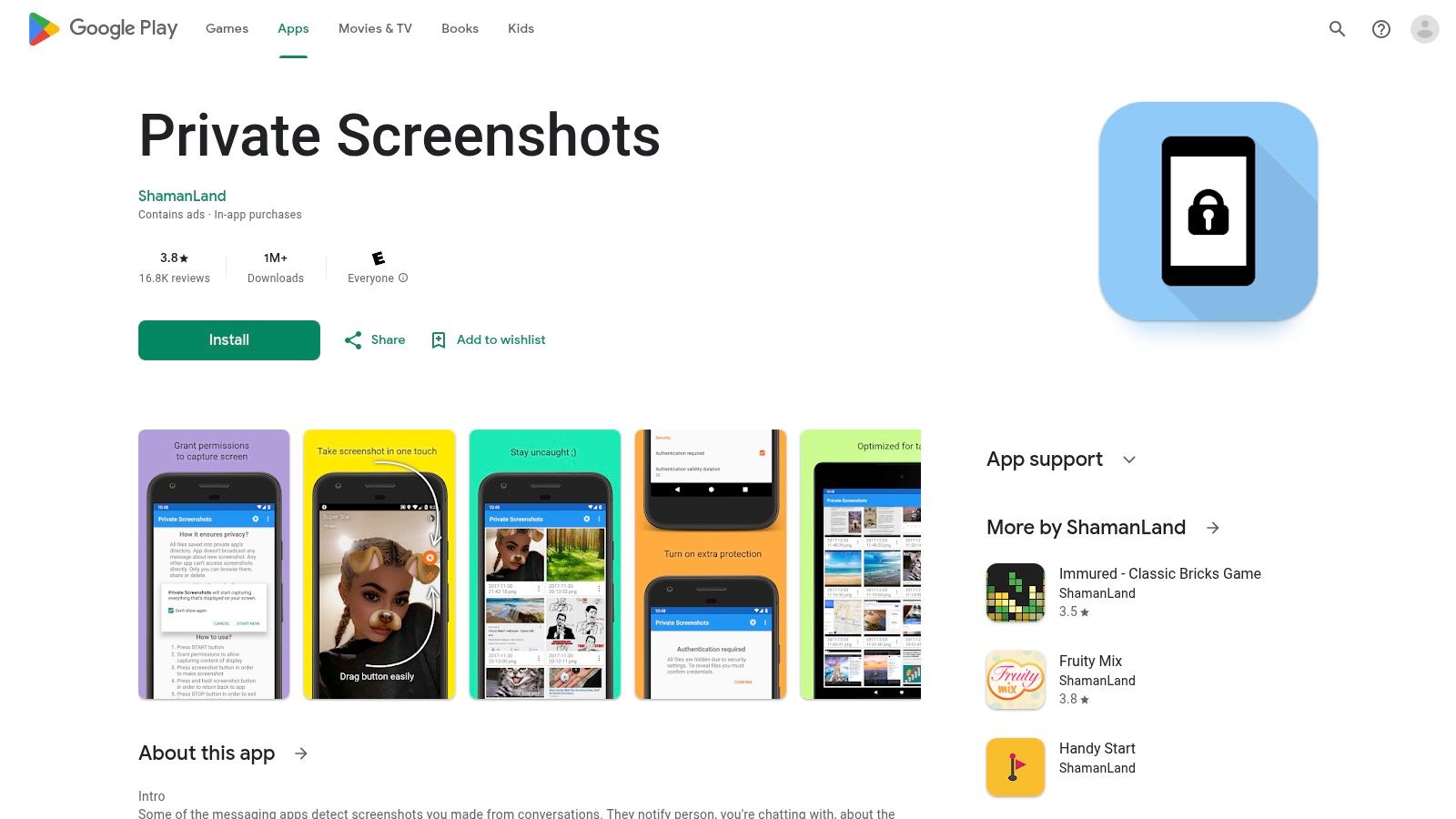
The app operates with a simple overlay button for quick captures. Once a screenshot is taken, it’s immediately stored in its sandboxed environment, from which you can view, share, or delete it securely. While its feature set is intentionally minimalist, its value lies in its specific use case. It’s important to note, however, that it cannot bypass system-level security restrictions (Android's FLAG_SECURE), so it won't work on protected content like banking apps or streaming services.
The interface is clean and to the point, prioritizing function over form. It’s a free app supported by ads, with its core privacy features fully accessible without any payment. For anyone frequently taking screenshots of temporary social media content or sensitive chats, this app provides a simple and effective solution.
Key Features & Assessment
| Feature | Details | Rating |
|---|---|---|
| Private Storage | Screenshots are saved to a secure container, hidden from the gallery. | ★★★★★ |
| Screenshot Detection | Can help avoid screenshot detection notifications in certain messaging apps. | ★★★★☆ |
| Capture Method | Uses a standard floating overlay button for quick and easy captures. | ★★★☆☆ |
| Security Bypass | Cannot capture protected screens (e.g., banking apps, DRM content). | ★★☆☆☆ |
Website: https://play.google.com/store/apps/details?id=com.shamanland.privatescreenshots
6. Google Play – Screenshot X (TarrySoft)
Screenshot X by TarrySoft is a lightweight and blazing-fast utility designed for users who prioritize speed and immediate sharing over complex editing suites. This screenshot app android free excels at its core function: capturing your screen and instantly presenting the share menu, making it perfect for quickly sending visuals to colleagues or posting to social media without delay. Its minimalist approach avoids the feature bloat found in more comprehensive tools, offering a clean, straightforward experience.
The app's main appeal is its simplicity. There are no heavy overlays or complicated settings to configure. You take a screenshot, and the Android share sheet immediately pops up. This streamlined workflow is a significant advantage for support teams or social media managers who need to distribute screen captures as efficiently as possible. It also allows configuration of save formats like PNG or JPG, giving users some control over file size and quality.
While it's free, the app’s simplicity is also its biggest limitation. It lacks any built-in annotation or editing tools, meaning users will need a separate app for cropping or adding text. However, for those seeking a no-frills, fast-sharing screenshot solution, Screenshot X is an excellent and highly efficient choice that gets the job done with minimal fuss.
Key Features & Assessment
| Feature | Details | Rating |
|---|---|---|
| Quick Share | Instantly opens the native Android share sheet after capture. | ★★★★★ |
| Lightweight UI | Minimalist interface with no unnecessary features or bloat. Very fast performance. | ★★★★★ |
| Editing Tools | No built-in editing or annotation tools are available. | ★☆☆☆☆ |
| Configurable Formats | Allows saving screenshots in different formats like JPG or PNG. | ★★★☆☆ |
Website: https://play.google.com/store/apps/eventdetails/4831328405569479288
7. Samsung Galaxy Store/Good Lock – Nice Shot module
For Samsung Galaxy users, one of the best ways to enhance the native screenshot experience is not through a third-party app, but with an official module. Nice Shot is part of Samsung’s Good Lock suite, a powerful customization tool that adds OS-level features. As a screenshot app android free alternative, it modifies and improves the existing screenshot toolbar rather than replacing it, ensuring seamless integration and performance. Its standout feature is adding a much-needed delete button directly to the toolbar that appears after a capture, preventing your gallery from filling up with temporary shots.
Nice Shot also provides subtle but highly practical tweaks, such as disabling the crop tool when capturing with the S Pen and automatically enabling Do Not Disturb mode during screen recordings to prevent notification pop-ups. These quality-of-life improvements are perfect for users who are generally happy with the built-in tools but want more refined control and a cleaner workflow.
The module is completely free and ad-free, available exclusively through the Good Lock app on the Samsung Galaxy Store. Its primary limitation is its exclusivity; it only works on supported Samsung devices and isn't a standalone application. Availability can also vary by region and device model.
Key Features & Assessment
| Feature | Details | Rating |
|---|---|---|
| Toolbar Customization | Adds a delete button and other options to the native screenshot toolbar. | ★★★★★ |
| Screen Recording Tweaks | Automatically enables Do Not Disturb mode during recording for clean captures. | ★★★★☆ |
| System Integration | Deep OS-level integration for flawless performance on Samsung devices. | ★★★★★ |
| Device Compatibility | Exclusive to Samsung Galaxy devices; not available on other Android phones. | ★★☆☆☆ |
Website: Accessible via the Good Lock app on the Samsung Galaxy Store.
8. F-Droid – Screenshot Tile (NoRoot)
For users who prioritize privacy, simplicity, and automation, Screenshot Tile from the F-Droid repository is an exceptional choice. This open-source utility forgoes a traditional app interface, instead integrating directly into Android's Quick Settings panel. It's the perfect screenshot app android free for power users who want a clean, no-frills capture method without ads or unnecessary permissions. Its core strength lies in its speed and unobtrusive nature; a single tap on the tile captures the screen instantly.
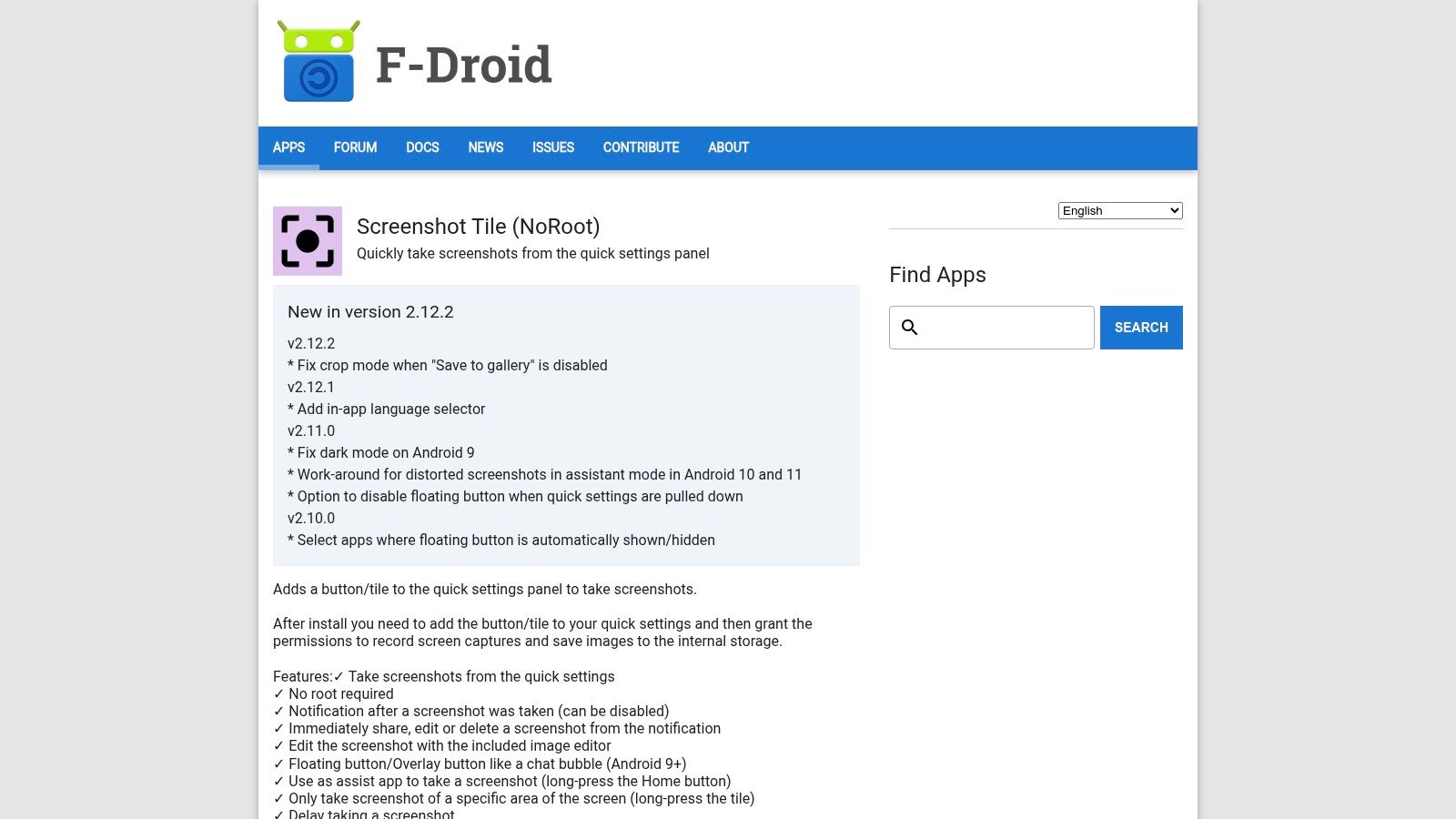
What makes Screenshot Tile unique is its focus on utility and integration. A long-press on the tile activates a partial-area capture mode, and it includes a delay timer for capturing time-sensitive UI elements. Developers and QA engineers will appreciate its compatibility with automation tools like Tasker or MacroDroid, allowing for scripted screenshot sequences. While it completely lacks any built-in editing or annotation features, its purpose is pure capture, executed flawlessly.
The app is completely free, open-source, and respects user privacy, containing no trackers or advertisements. The user experience is minimalist by design, focusing entirely on the Quick Settings trigger. A minor documented quirk is that the Cast icon may briefly appear during capture on some devices, but this rarely impacts the final image. It is an ideal tool for those who prefer function over form and want a trigger that feels native to the OS.
Key Features & Assessment
| Feature | Details | Rating |
|---|---|---|
| Capture Triggers | Quick Settings tile (tap for full, long-press for partial). Minimalist and effective. | ★★★★★ |
| Editing Tools | None available. The app is purely for capture and requires a separate editor. | ★☆☆☆☆ |
| Advanced Features | Delay timer, custom save folders, choice of PNG/JPG/WebP formats. | ★★★☆☆ |
| Automation | Integrates with Tasker, MacroDroid, and other automation apps for scripted captures. | ★★★★★ |
Website: https://f-droid.org/packages/com.github.cvzi.screenshottile/
9. F-Droid – Shots Studio (screenshot organizer)
Shots Studio is a unique entry on this list because it's not a capture tool itself, but an intelligent organizer for your existing screenshots. Available on the open-source F-Droid repository, it’s the perfect screenshot app android free companion for users who take numerous screenshots for work or personal projects and need a powerful way to manage them. Its primary function is to bring order to chaos by automatically indexing, organizing, and decluttering your screenshot folder.
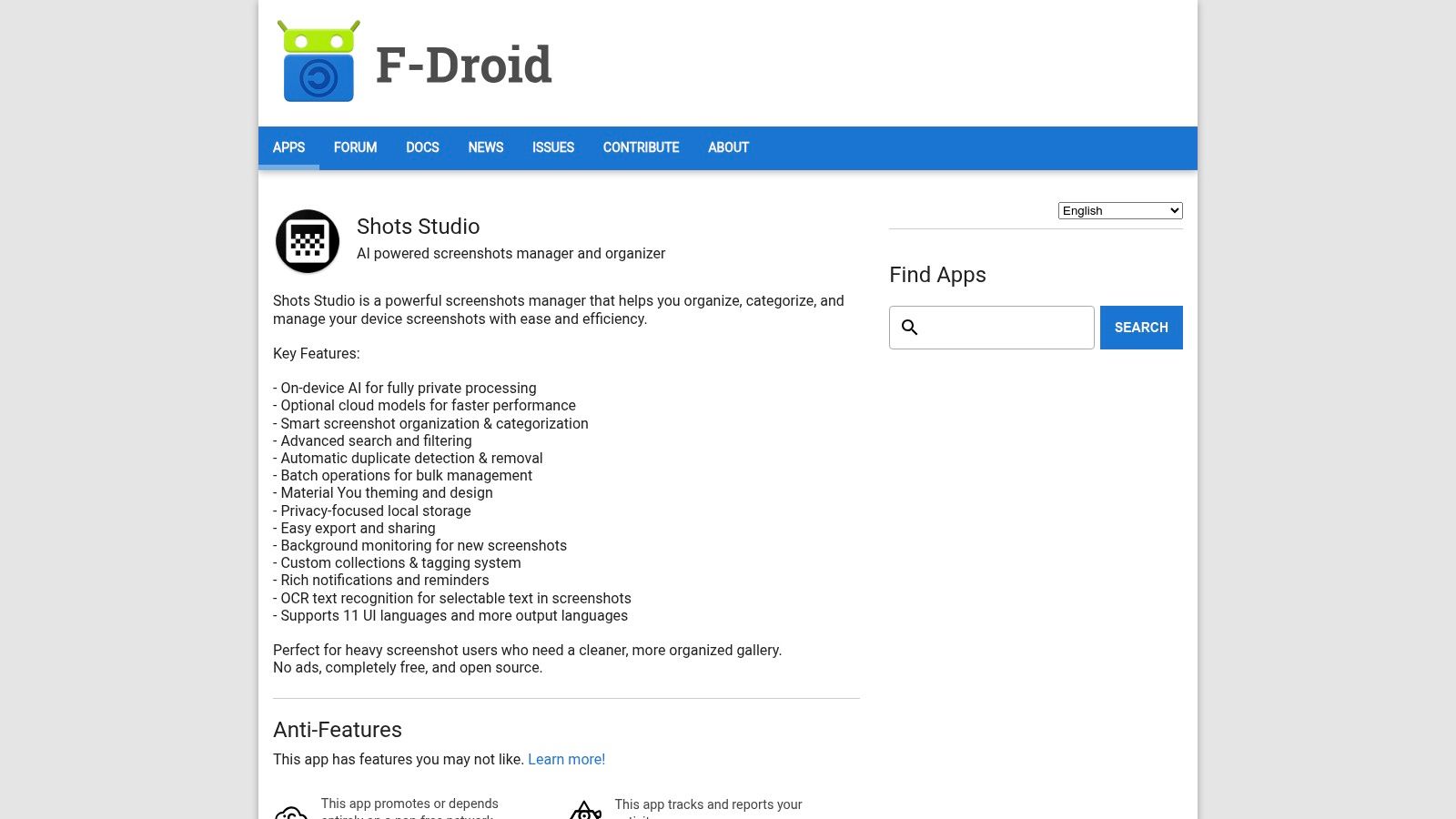
The app leverages on-device OCR (Optical Character Recognition) to make every screenshot's text content searchable, allowing you to find a specific image just by remembering a word that was on the screen. It excels at identifying and removing duplicate images, freeing up valuable storage space. You can also create custom collections and apply tags for project-based organization, turning your messy screenshot gallery into a structured, searchable database.
As an open-source application from F-Droid, Shots Studio is completely free, contains no ads, and prioritizes privacy by processing everything locally. Its modern Material You interface is clean and intuitive. The only downside is that it's a post-capture tool, meaning you still need another app (or your phone's native function) to take the actual screenshot. It’s an essential utility for power users drowning in their own screen captures.
Key Features & Assessment
| Feature | Details | Rating |
|---|---|---|
| OCR Search | On-device text recognition makes all screenshots searchable. Highly effective. | ★★★★★ |
| Organization Tools | Duplicate detection, batch operations, custom collections, and tagging. | ★★★★★ |
| Privacy Focus | Open-source, no ads, and all processing is done locally on your device. | ★★★★★ |
| Capture Functionality | None. This app is strictly for organizing existing screenshots. | N/A |
Website: https://f-droid.org/packages/com.ansah.shots_studio/
10. F-Droid – QuickShot Share (Screenshot Sharer)
QuickShot Share, available on the F-Droid open-source repository, is a minimalist tool built for one specific purpose: capturing and sharing a screenshot as fast as humanly possible. This screenshot app android free forgoes complex editors and multiple triggers in favor of a lightning-fast workflow. Upon taking a screenshot, it immediately opens your device's native share panel, allowing you to send the image to an app or contact in a single, fluid motion. This makes it ideal for users who frequently share screen grabs for quick communication.
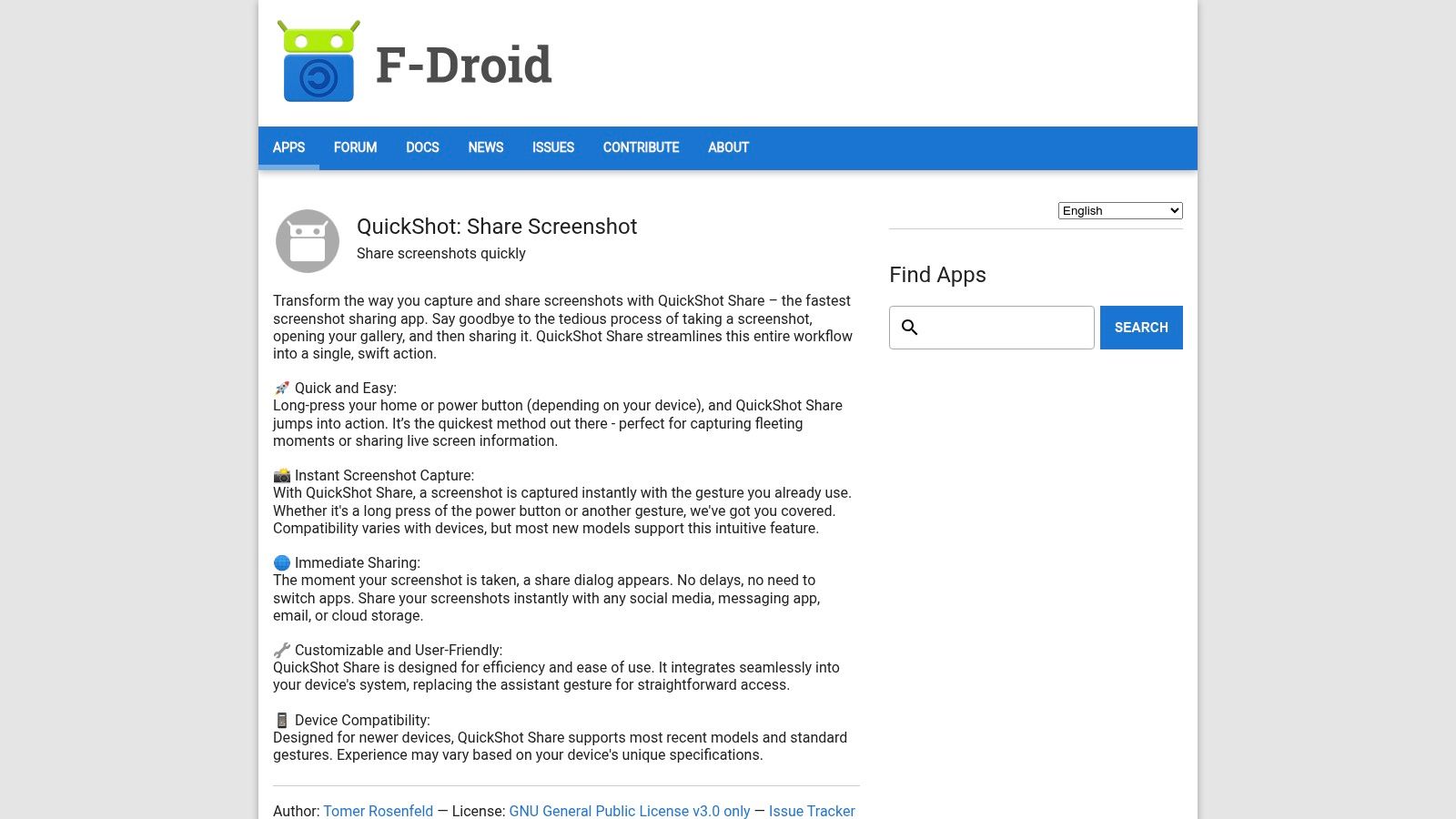
The app's strength is its simplicity and respect for user privacy. Being open-source and available on F-Droid means it's completely free, contains no ads, and has no unnecessary permissions. It’s designed to be lightweight and unobtrusive. The primary capture method involves setting it as your device's default assistant app, enabling you to trigger a screenshot with a long-press of the home button or a corner swipe gesture. This replaces the standard Google Assistant activation for that specific action.
The trade-off for this speed is a near-total lack of features. There are no annotation tools, scrolling capture, or advanced settings. QuickShot Share is a highly specialized utility for users who value sharing speed above all else. Its gesture-based trigger may also not be compatible with every Android skin or device manufacturer, requiring some initial setup to verify functionality.
Key Features & Assessment
| Feature | Details | Rating |
|---|---|---|
| Instant Share Workflow | Captures and immediately opens the system share menu. Unmatched speed for sharing. | ★★★★★ |
| Editing Tools | Non-existent. The app is purely for capture and share. | ★☆☆☆☆ |
| Gesture Integration | Can be set as the default assistant app for a quick capture gesture. | ★★★☆☆ |
| Privacy & Cost | Free, open-source, with no ads or trackers. | ★★★★★ |
Website: https://f-droid.org/en/packages/io.rosenpin.screenshotsharer/
11. APKPure – ScreenMaster and LongShot official APK mirrors
For users who can't access the Google Play Store or prefer to manage app installations manually, APKPure serves as a crucial alternative repository. It provides access to official APKs for many top-tier tools, including popular choices like ScreenMaster and LongShot. This makes it an essential resource for finding a powerful screenshot app android free when standard distribution channels are unavailable, such as on certain devices or in specific geographic regions. APKPure distinguishes itself by offering version histories and verified files, giving users more control and transparency over their app installations.
The primary function of APKPure is not to be an app itself, but a reliable source for them. The user experience is straightforward: search for an app, view its details and version history, and download the APK file directly. However, this process requires users to enable "Install from unknown sources" in their Android settings, a step that carries inherent security risks. It's vital for users to ensure they are downloading from official APKPure sources to mitigate these risks.
The platform is completely free to use and provides direct downloads without needing an account. It’s an indispensable tool for developers needing to test older app versions or for users on custom Android ROMs who need reliable access to essential utilities like a feature-rich screenshot app.
Key Features & Assessment
| Feature | Details | Rating |
|---|---|---|
| App Availability | Provides access to apps like ScreenMaster & LongShot outside the Play Store. | ★★★★★ |
| Version History | Allows users to download older versions of an app for compatibility or testing. | ★★★★☆ |
| Security | Requires sideloading, which carries security risks. Users must be cautious. | ★★☆☆☆ |
| User Experience | Simple search and download process, but requires manual installation steps. | ★★★☆☆ |
Website: https://apkpure.com/screenmaster-screenshot-markup/pro.capture.screenshot/
12. APKMirror – Google Markup (Pixel “Markup” editor)
This entry is unique as it's not a standalone screenshot app android free, but rather a resource for accessing a powerful editing component. APKMirror hosts the official Google Markup tool, the sleek and simple editor found natively on Pixel devices. For users on custom ROMs or devices where this feature is missing or outdated, APKMirror provides a trusted way to install or update it, bringing Pixel-exclusive editing capabilities to a wider range of phones.
Google Markup activates immediately after taking a screenshot, offering intuitive tools to crop, draw, highlight, and add text. Its minimalist design makes quick annotations effortless. The main advantage of using APKMirror is its reliability; the platform verifies the cryptographic signatures of all APKs to ensure they are legitimate and untampered with. This makes it a safe way to get Google’s best-in-class editor without installing a full third-party app.
The primary limitation is that this is only an editor, not a capture tool. It relies on your phone's native screenshot function to trigger. Users should also be mindful to download the latest patched versions, as older builds had a known security vulnerability (CVE-2023-21036). It’s a perfect solution for those who want a clean, integrated editing experience without extra bloat.
Key Features & Assessment
| Feature | Details | Rating |
|---|---|---|
| Editing Tools | Simple and effective crop, draw, text, and highlight tools. | ★★★★★ |
| APK Availability | Multiple variants for different Android versions and device types. | ★★★★☆ |
| Integration | Seamlessly integrates with the native Android screenshot process. | ★★★★★ |
| Security | APKs are verified, but users must choose the latest patched versions. | ★★★☆☆ |
Website: https://www.apkmirror.com/apk/google-inc/markup/markup-1-0-release/
Top 12 Free Android Screenshot Apps Comparison
| App / Tool | Core Features / Highlights | User Experience & Quality ★ | Value & Pricing 💰 | Target Audience 👥 | Unique Selling Points ✨ |
|---|---|---|---|---|---|
| GrabShot.io | AI beautification, OCR redaction, templates | ★★★★★ 4.9/5 (1,200+ users) | Free & Pro (unlimited + advanced) | Creators, marketers, developers | AI-powered polish, automatic redaction 🏆 |
| Screenshot Easy (Ice Cold Apps) | Multi-capture triggers, basic editing, video | ★★★★☆ reliable, 10M+ downloads | Free + Pro removes ads | Android users needing all-in-one tool | Multiple triggers, simple video trim |
| Screenshot touch (Kimcy929) | Floating controls, full-page capture, stitch | ★★★★☆ 10M+ installs | Free with ads | Power users requiring complex shots | Auto stitching & scrolling capture |
| ScreenMaster (Blossgraph) | Long shots, rich markup, floating/shake capture | ★★★★☆ free, many annotation tools | Free with ads | Markup & annotation lovers | Detailed markup, long screenshot reliable |
| LongShot (Leav Jenn) | Auto-scroll, stitching, whole webpage capture | ★★★★☆ focused, lightweight | Free, minimal ads | Users focused on long screenshots | No watermark, pixel-level stitch adjust |
| Private Screenshots (ShamanLand) | Private container, quick share | ★★★★☆ 1M+ installs | Free with ads | Privacy-sensitive screenshot users | Prevents detection in some apps |
| Screenshot X (TarrySoft) | Fast capture, instant share | ★★★☆☆ lightweight, simple UI | Free | Users focusing on quick sharing | Instant share with minimal UI |
| Nice Shot (Samsung Good Lock) | Delete button, recording tweaks, DND mode | ★★★★☆ OS-level integration | Free, ad-free | Samsung Galaxy phone users | Deep Samsung integration |
| Screenshot Tile (NoRoot) (F-Droid) | Quick Settings tile, delay, automation support | ★★★★☆ open-source, privacy-focused | Free, no ads | Power users & automation enthusiasts | Automation integration, open source |
| Shots Studio (F-Droid) | OCR, deduplication, tagging, AI organization | ★★★★☆ free, no ads | Free | Heavy screenshot users organizing files | AI-powered local screenshot manager |
| QuickShot Share (F-Droid) | Single-gesture capture, immediate share panel | ★★★★☆ fast workflow, open-source | Free | Users prioritizing speed & sharing | Instant share, minimal UI |
| APKPure (ScreenMaster & LongShot) | Official APKs, version history | N/A | Free to access APKs | Users without Play Store access | Alternate APK source for popular apps |
| APKMirror (Google Markup Editor) | Screenshot editing tools (crop, draw, blur) | N/A | Free APK downloads | Pixel device users needing editor restore | Trusted repo, Pixel-style editor |
Finding Your Perfect Screen Capture Workflow
Navigating the landscape of free Android screenshot apps reveals a powerful truth: there is no single "best" tool, only the best tool for your specific workflow. The ideal solution hinges entirely on a clear understanding of your primary use case, whether you're a developer documenting a bug, a marketer creating social media content, or a writer crafting a detailed tutorial. Your choice represents the first crucial step in an efficient visual communication pipeline.
From Capture to Communication: A Strategic Choice
The journey from a raw screen capture to a polished, professional visual is a two-part process. The first part, the capture itself, requires an app that aligns with your daily tasks.
- For the All-Around User: If you need a versatile tool with a robust set of editing and annotation features built-in, apps like ScreenMaster and Screenshot touch offer a fantastic balance of functionality and ease of use. They are the Swiss Army knives of the screenshot world, perfect for users who need to crop, draw, and add text frequently without leaving the app.
- For the Specialist: When your needs are more focused, a specialized tool is often superior. LongShot is the undisputed champion for capturing extensive scrolling content, making it indispensable for saving entire web pages or long chat threads. Similarly, privacy-conscious users or developers will find the transparency and control of F-Droid apps like Private Screenshots and Screenshot Tile (NoRoot) to be invaluable.
- For the Brand-Loyal Power User: For those within the Samsung ecosystem, exploring the Nice Shot module in Good Lock is a must. It unlocks native capabilities that third-party apps simply cannot access, providing a deeply integrated and seamless experience.
Implementing Your Ideal Workflow
Once you've selected your primary capture tool, the second, and equally important, part of the process begins: post-capture polishing. This is where a simple screenshot transforms into a compelling asset. Relying solely on the basic editing tools within a capture app can be limiting, especially for professional contexts. This is where a dedicated polishing tool becomes a non-negotiable part of your workflow.
Integrating a service like GrabShot.io after the capture allows you to standardize your visuals with professional backgrounds, consistent branding, and clean annotations. Consider how you will manage your captured images. Will you organize them with a dedicated app like Shots Studio, or will your workflow involve immediately sending them to a cloud service or a polishing tool? Defining this path from the outset prevents digital clutter and saves significant time. By thoughtfully combining a powerful screenshot app android free with a dedicated enhancement tool, you create a seamless and repeatable process for producing high-impact visuals for any project.
Ready to transform your standard captures into professional, presentation-ready images? Take the next step in your workflow by trying GrabShot.io. Instantly add beautiful backgrounds, device mockups, and clean annotations to any screenshot you take, ensuring your visuals always look their best. Perfect your captures today at GrabShot.io.